Unlocking Table and Form Secrets in HTML


Crafting Dynamic Tables with HTML

Learning Outcome
What is a table tag in HTML?
1
2
What is colspan and rowspan in tables?
3
What are table borders & align attribute?



Ever Wondered How to Neatly Organize Data On A Webpage?
When faced with a large amount of data, organizing it into a table format can significantly enhance readability
Subject Code Subject Name Marks Obtained
01 Python 045
15 Artifical Intelligence 056
18 Machine Learning 038
71 Big Data 055
72 Applied Mathematics 074
73 Natural language processing 061
Percentage* 58.20 % Total Marks 291
Result Pass Out of 500
| Subject Code | Subject Name | Marks Obtained | |
|---|---|---|---|
| 1 | Python | 45 | |
| 15 | Artifical Intelligence | 56 | |
| 18 | Machine Learning | 38 | |
| 71 | Big Data | 55 | |
| 72 | Applied Mathematics | 74 | |
| 73 | Natural Language Processing | 61 | |
| Perecntage | 58.20% | Total Marks | 291 |
| Result | Pass | Out of | 500 |
Using Table tags

But how?

What Is Table Tag?
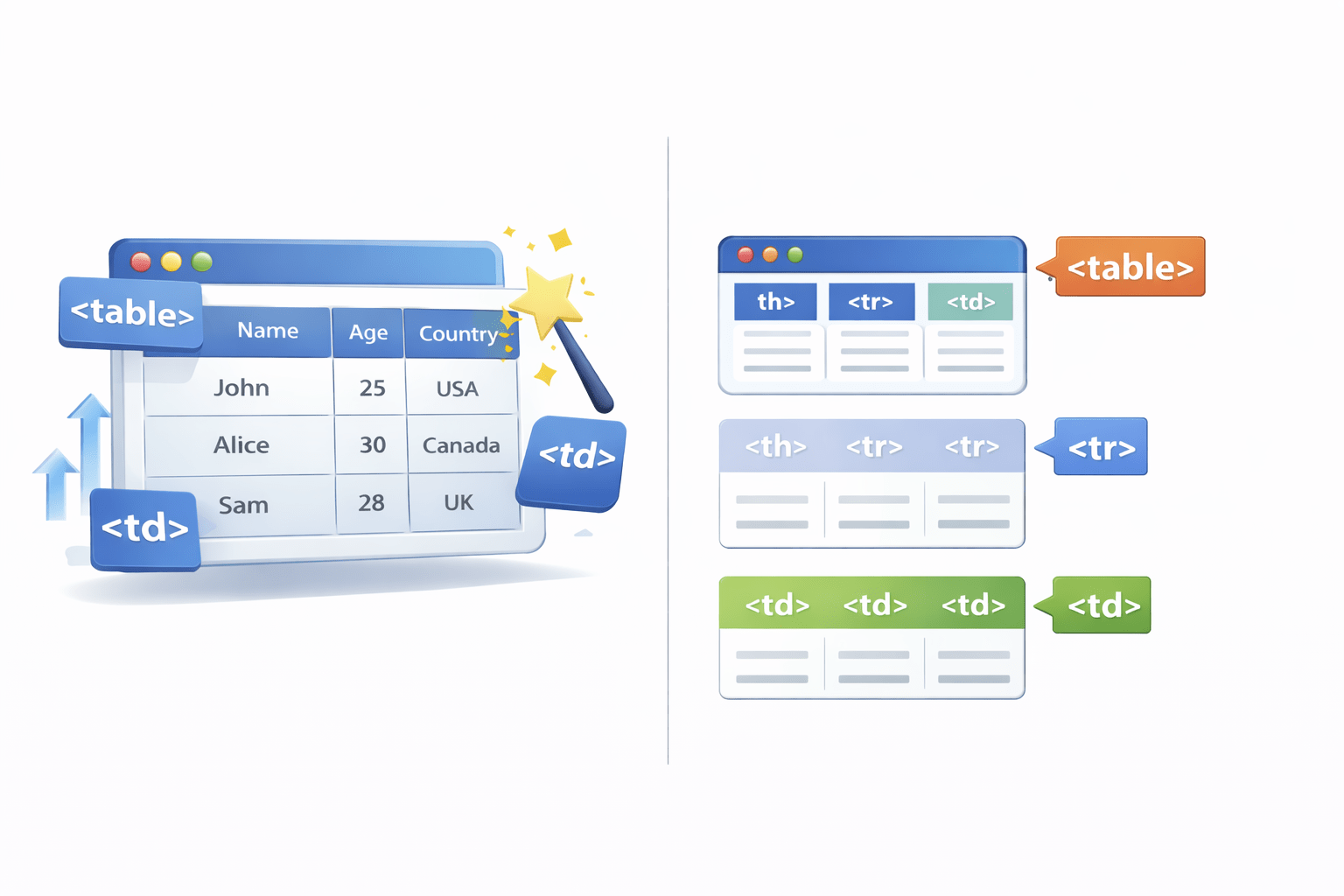
The <table> tag is an HTML element used to create tables on a webpage.
It serves as the main container for organizing and displaying tabular data
Table Body
Table Row
Table Column
Table Cell
Let's understand it further...
Table Head <thead>
Table Row <tr>
Table Footer <tfoot>
Table Body <tbody>
Table Data <td>
But What If For Specific Needs We Need To Merge The Columns and Rows?

Using Colspan & Rowspan
What Is Colspan & Rowspan?
Colspan and rowspan in HTML tables control cell span across columns (colspan) or rows (rowspan), enabling complex layouts
This is Colspan
This is Rowspan
Colspan and rowspan are used within the <td> and <th> tags.
Tables In HTML Lack Borders By Default,
What Makes Them Visible?
| Subject Code | Subject Name | Marks Obtained | |
|---|---|---|---|
| 1 | Python | 45 | |
| 15 | Artifical Intelligence | 56 | |
| 18 | Machine Learning | 38 | |
| 71 | Big Data | 55 | |
| 72 | Applied Mathematics | 74 | |
| 73 | Natural Language Processing | 61 | |
| Perecntage | 58.20% | Total Marks | 291 |
| Result | Pass | Out of | 500 |
| Subject Code | Subject Name | Marks Obtained | |
|---|---|---|---|
| 1 | Python | 45 | |
| 15 | Artifical Intelligence | 56 | |
| 18 | Machine Learning | 38 | |
| 71 | Big Data | 55 | |
| 72 | Applied Mathematics | 74 | |
| 73 | Natural Language Processing | 61 | |
| Perecntage | 58.20% | Total Marks | 291 |
| Result | Pass | Out of | 500 |
Using Table borders
How Table Borders Help?
| Subject Code | Subject Name | Marks Obtained | |
|---|---|---|---|
| 1 | Python | 45 | |
| 15 | Artifical Intelligence | 56 | |
| 18 | Machine Learning | 38 | |
| 71 | Big Data | 55 | |
| 72 | Applied Mathematics | 74 | |
| 73 | Natural Language Processing | 61 | |
| Perecntage | 58.20% | Total Marks | 291 |
| Result | Pass | Out of | 500 |
Borders add visible lines around your table and its cells. You control them using the `border` attribute on `<table>`, `<tr>`, and `<td>/<th>` tags
How Can We Control The Positioning Of Data Within Table Cells?
| Subject Code | Subject Name | Marks Obtained | |
|---|---|---|---|
| 1 | Python | 45 | |
| 15 | Artifical Intelligence | 56 | |
| 18 | Machine Learning | 38 | |
| 71 | Big Data | 55 | |
| 72 | Applied Mathematics | 74 | |
| 73 | Natural Language Processing | 61 | |
| Perecntage | 58.20% | Total Marks | 291 |
| Result | Pass | Out of | 500 |
| Subject Code | Subject Name | Marks Obtained | |
|---|---|---|---|
| 1 | Python | 45 | |
| 15 | Artifical Intelligence | 56 | |
| 18 | Machine Learning | 38 | |
| 71 | Big Data | 55 | |
| 72 | Applied Mathematics | 74 | |
| 73 | Natural Language Processing | 61 | |
| Perecntage | 58.20% | Total Marks | 291 |
| Result | Pass | Out of | 500 |
Using Align
How Align Works?
| Subject Code | Subject Name | Marks Obtained | |
|---|---|---|---|
| 1 | Python | 45 | |
| 15 | Artifical Intelligence | 56 | |
| 18 | Machine Learning | 38 | |
| 71 | Big Data | 55 | |
| 72 | Applied Mathematics | 74 | |
| 73 | Natural Language Processing | 61 | |
| Perecntage | 58.20% | Total Marks | 291 |
| Result | Pass | Out of | 500 |
Align changes manages horizontal positioning of text/data content within a table cell (<td> or <th>)