


















Content ITV PRO
This is Itvedant Content department
Learning Outcome
6
5
5
5
4
Validate response data using assertions
3
Analyze and interpret API responses
2
Learn how to send API requests
1
Understand the basics of API testing
Organize APIs using collections
Use variables to make testing flexible and reusable
Common Postman Scripting Methods
Postman offers tools for testers to create validations and automation scripts
These methods make API validation easier and faster
Some commonly used scripting methods include:
Writing test cases
Accessing API responses
Validating response data
Reading headers
Measuring response time
Debugging scripts
What is pm?
pm is POSTMAN's main global object used in test scripts
It provides access to different parts of request and response such as:
Response data
Headers
Variables
Request information
Environment settings
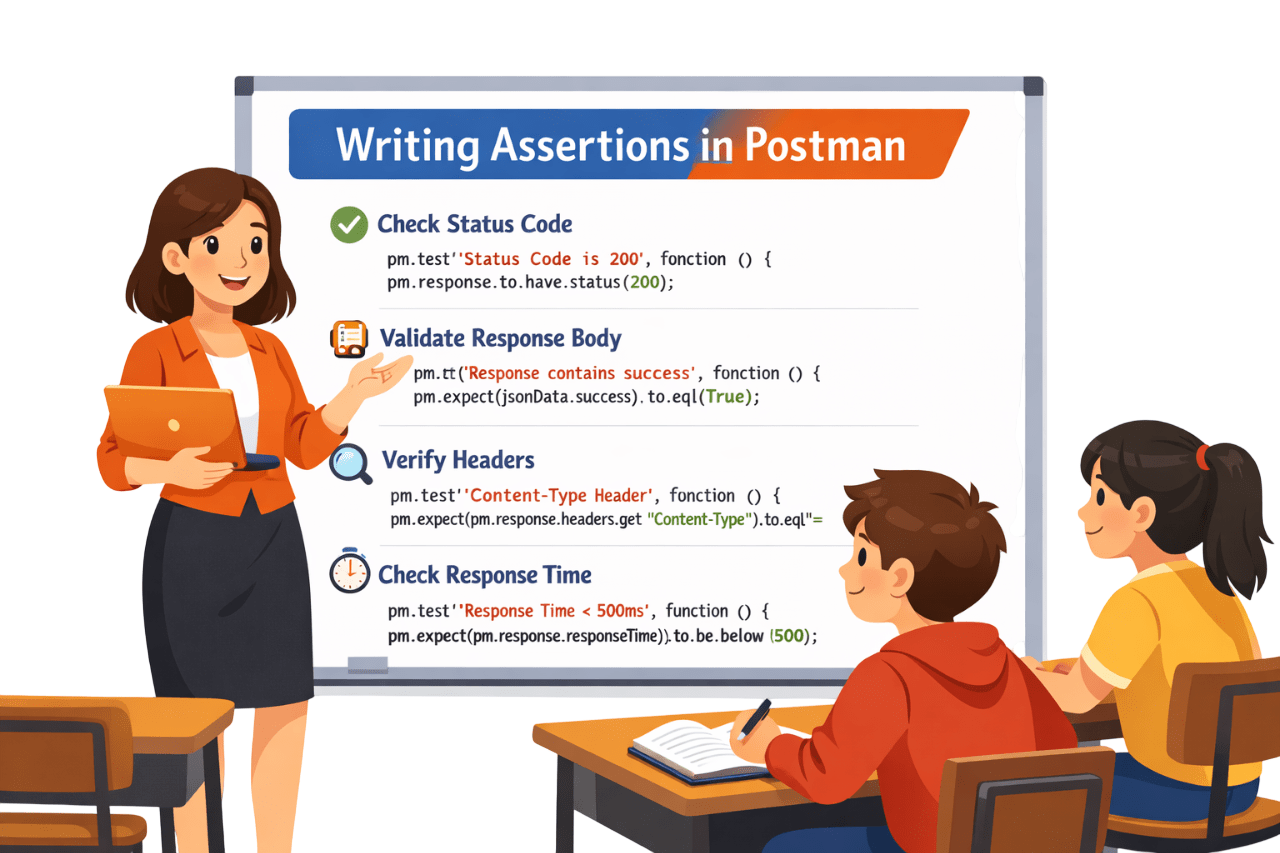
pm.test()
pm.test() is used to define a test case in Postman
It allows testers to:
Write Validations
Group validation under a descriptive name
View result clearly in the test report
Fail
Pass
After execution,the test result will appear as
pm.response()
pm.response() provides access to the complete API response
It allows testers to access:
Status code
Response headers
Response body
Response time
Validate the API response using this object
pm.expect()
pm.expect() is used to perform assertions on API responses
It verifies whether:
A value matches the expected result
If the condition is satisfied
Test Pass
Test Fail
Otherwise
pm.response.json()
pm.response.json() converts the API response to JSON for field access
Why it is used?
Extract values from API response
Validate response data field
Use values in test assertions
Example Test:
Access the name field from the response
Verify if the value equals to "John"
pm.test("Check user name", function () {
    var jsonData = pm.response.json();
    pm.expect(jsonData.name).to.eql("John");
});
pm.response.headers.get()
Retrieves the value of a specific response header
pm.test("Check Content-Type header", function () {
    var contentType = pm.response.headers.get("Content-Type");
    pm.expect(contentType).to.eql("application/json");
});
Why it is used?
Retrieves important metadata from the response
Metadata can include:
Content-Type : e.g application/json
Authorization : user ID,tokens etc
Server Info : server type, version etc
pm.response.responseTime
Retrieves the response time in milliseconds
pm.test("Check response time", function () {
    var responseTime = pm.response.responseTime;
    pm.expect(responseTime).to.be.below(200);
});
Why it is used?
Measures how long the API takes to respond
Response time is given in milliseconds(ms)
Console.log
Console.log is used for debugging POSTMAN scripts
var jsonData = pm.response.json();
console.log(jsonData);
Why it is used?
Print messages for debugging
Understand variable values
Collections in Postman
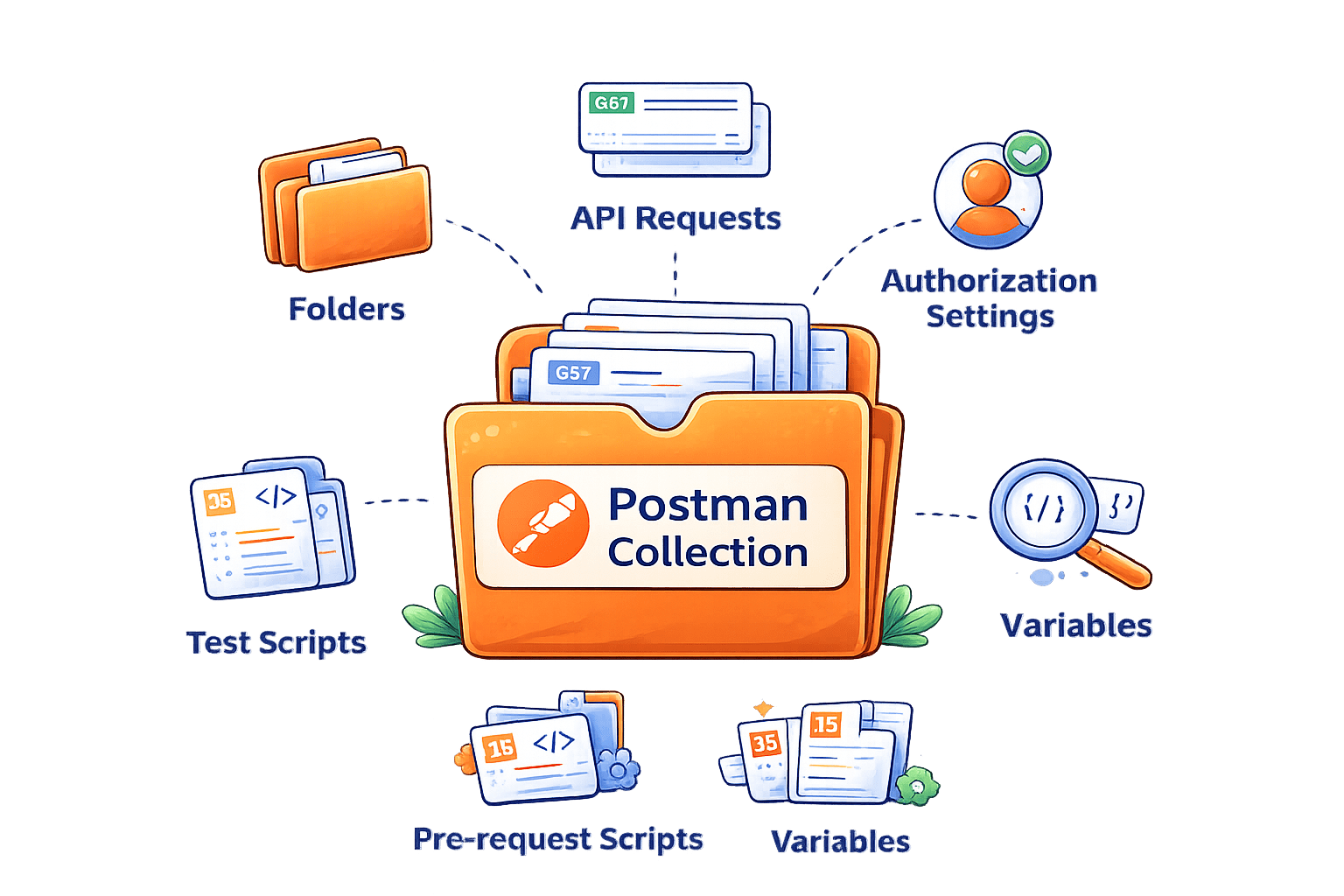
A Postman collection organizes multiple API requests in one place
Testers group related APIs into collections, enabling them to:
Run APIs in sequence
Automate testing
Reuse configurations
Maintain better organization
Group Related APIs into a Configuration
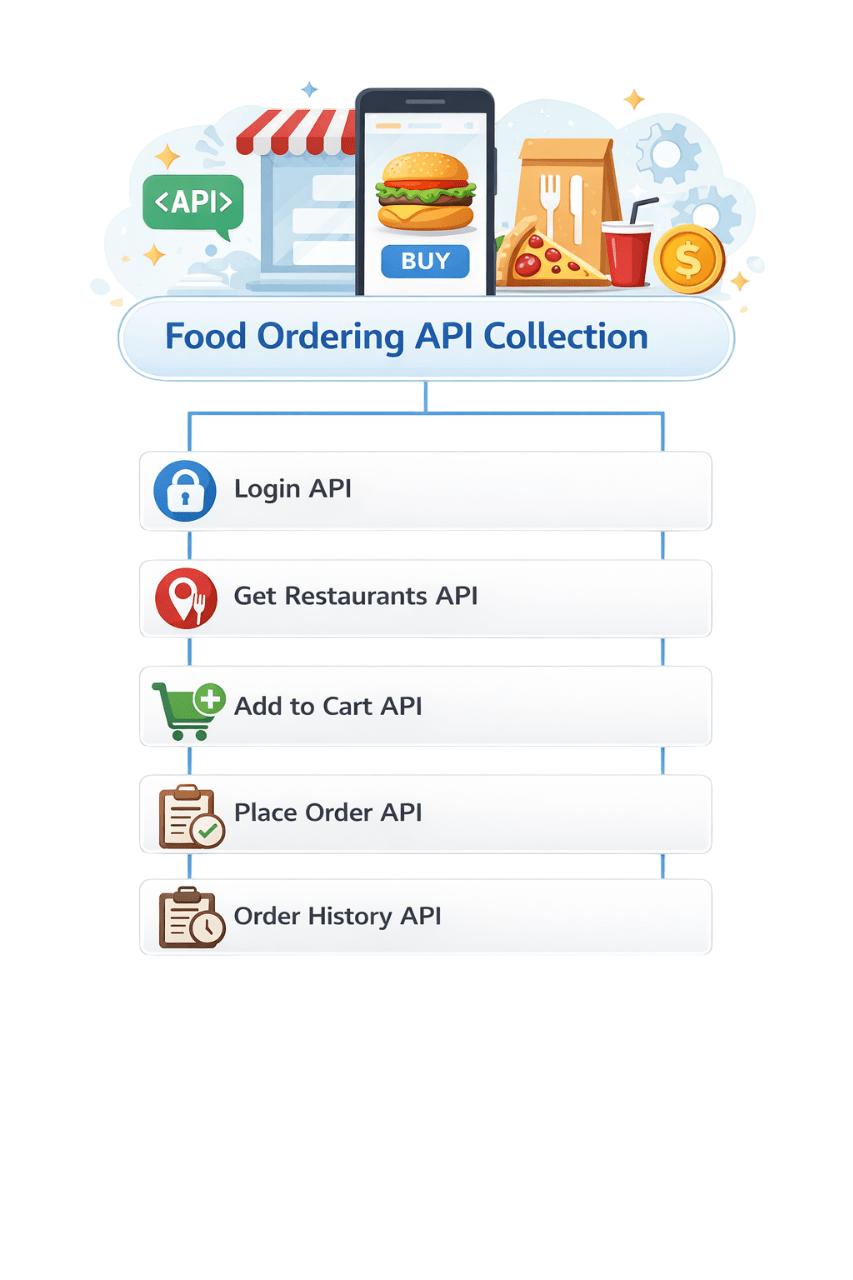
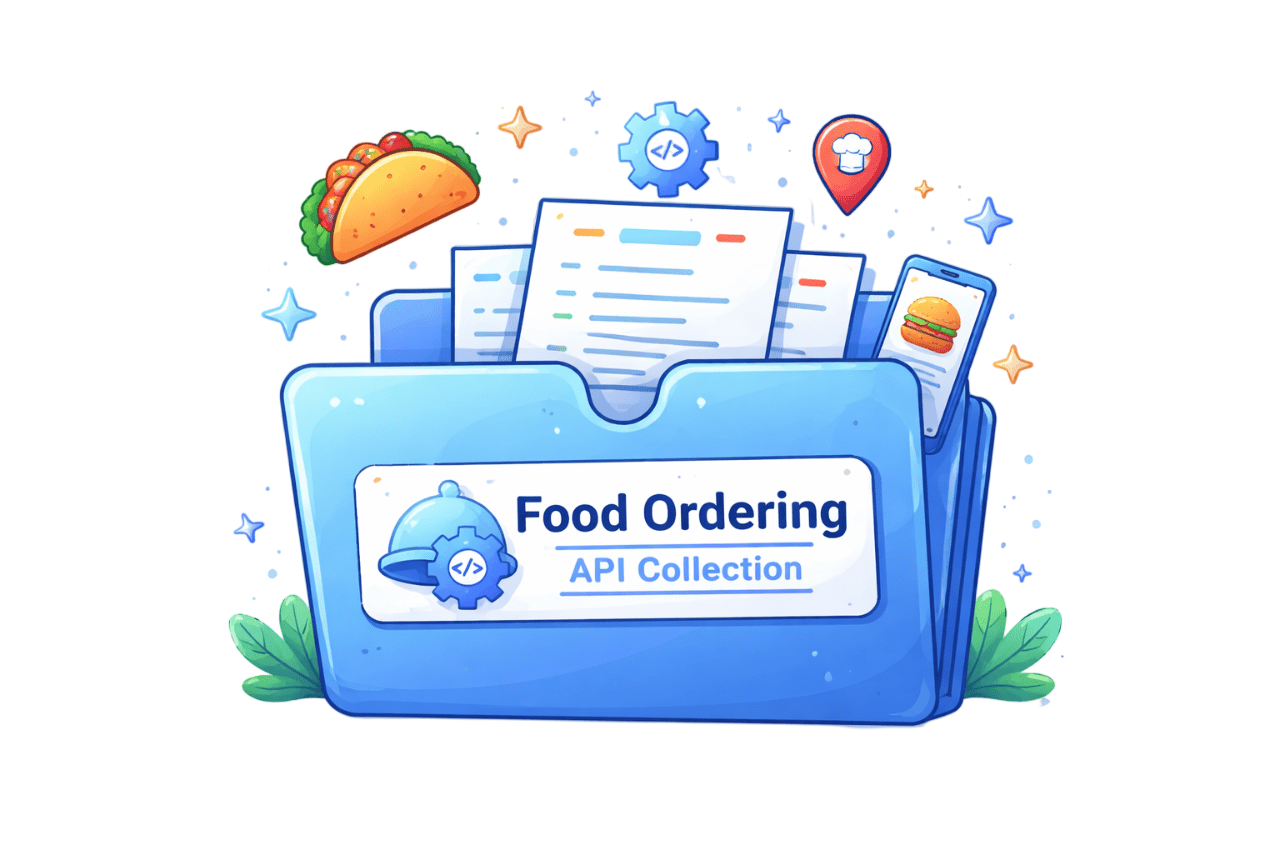
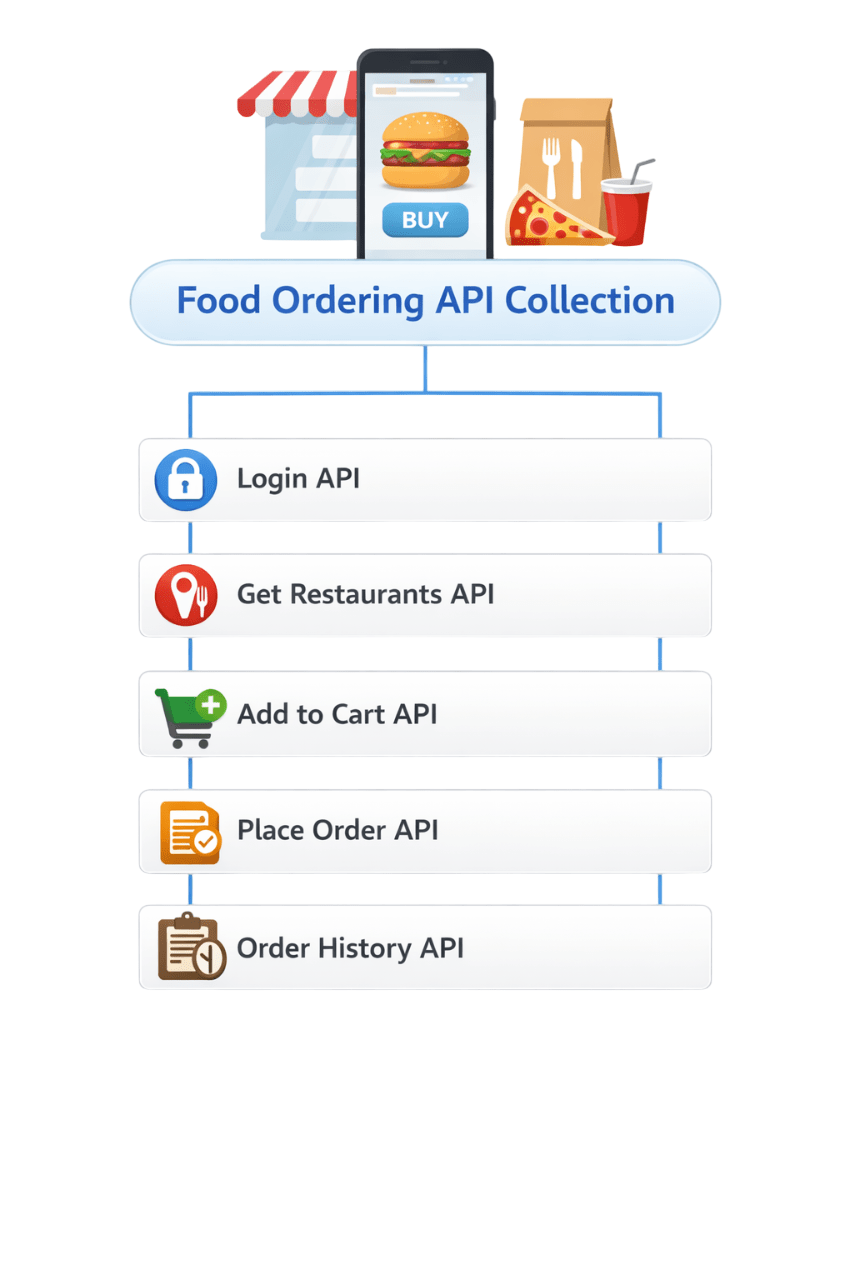
Collection is a folder for multiple API requests for the same application or module
Think of a Collection like a Folder
Food Ordering API Collection
Login API
Get Restaurants API
Add to Cart API
Place Order API
Order History API
A typical Postman collection contains
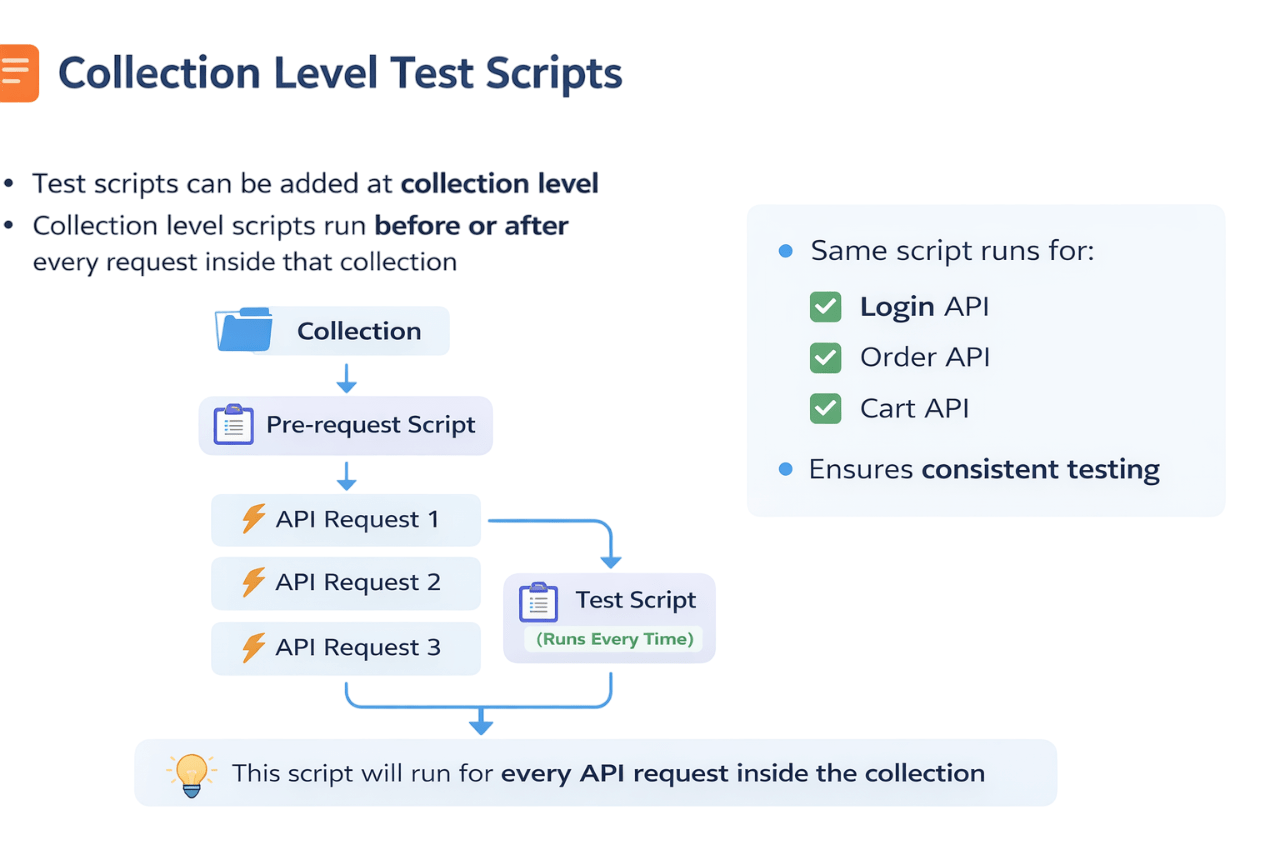
Adding Test Scripts to a Collection
Test scripts can be added at collection-level
Collection level scripts run before or after every request inside that collection
This script runs for every API request in the collection
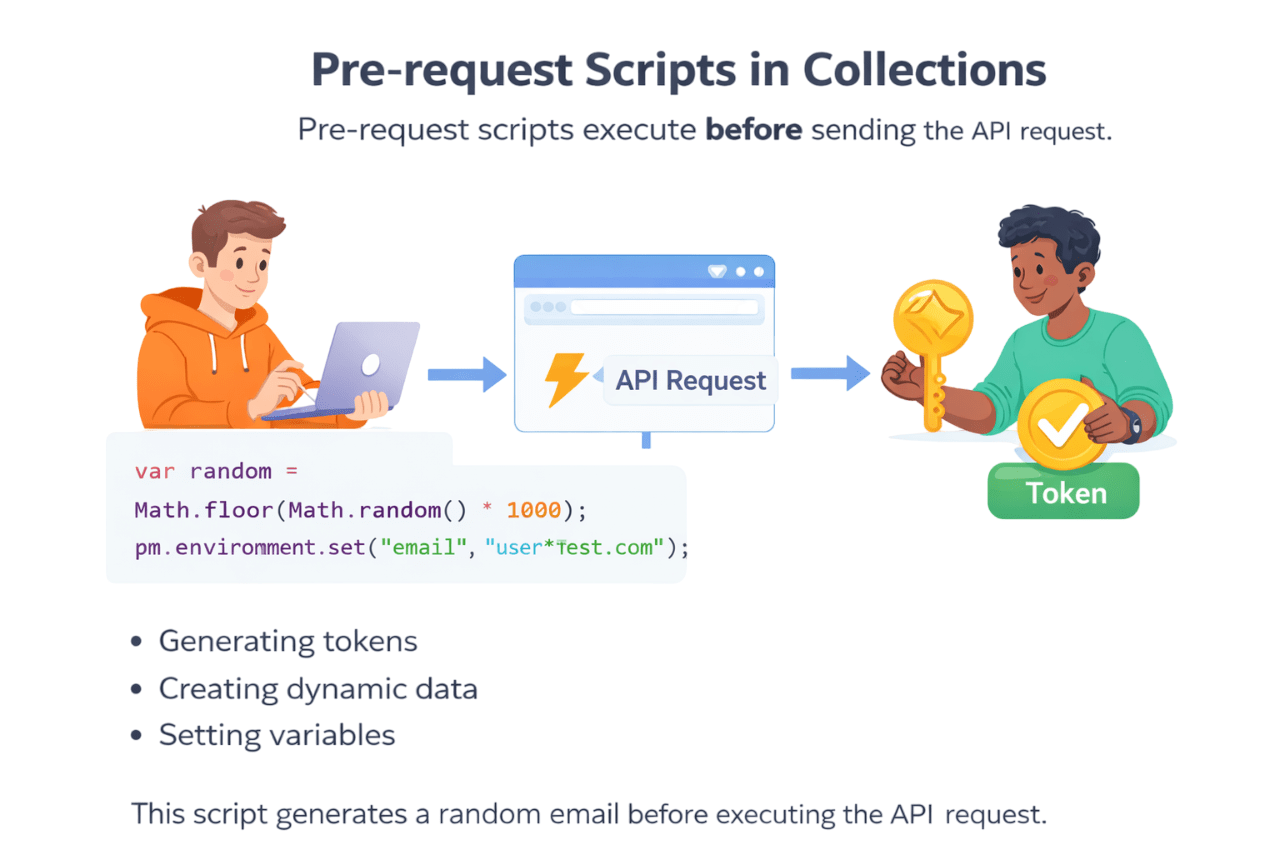
Pre-request Scripts in Collections
Pre-request scripts execute before sending the API request
These scripts are useful for :
This script generates a random email before the API request
Authorization in Collections
Instead of adding authorization in every API, we define it once at the collection level
Authorization type:
Bearer Token
Token value :
{{ auth_token }}
All requests in the collection will automatically inherits this authorization
Variables in Postman
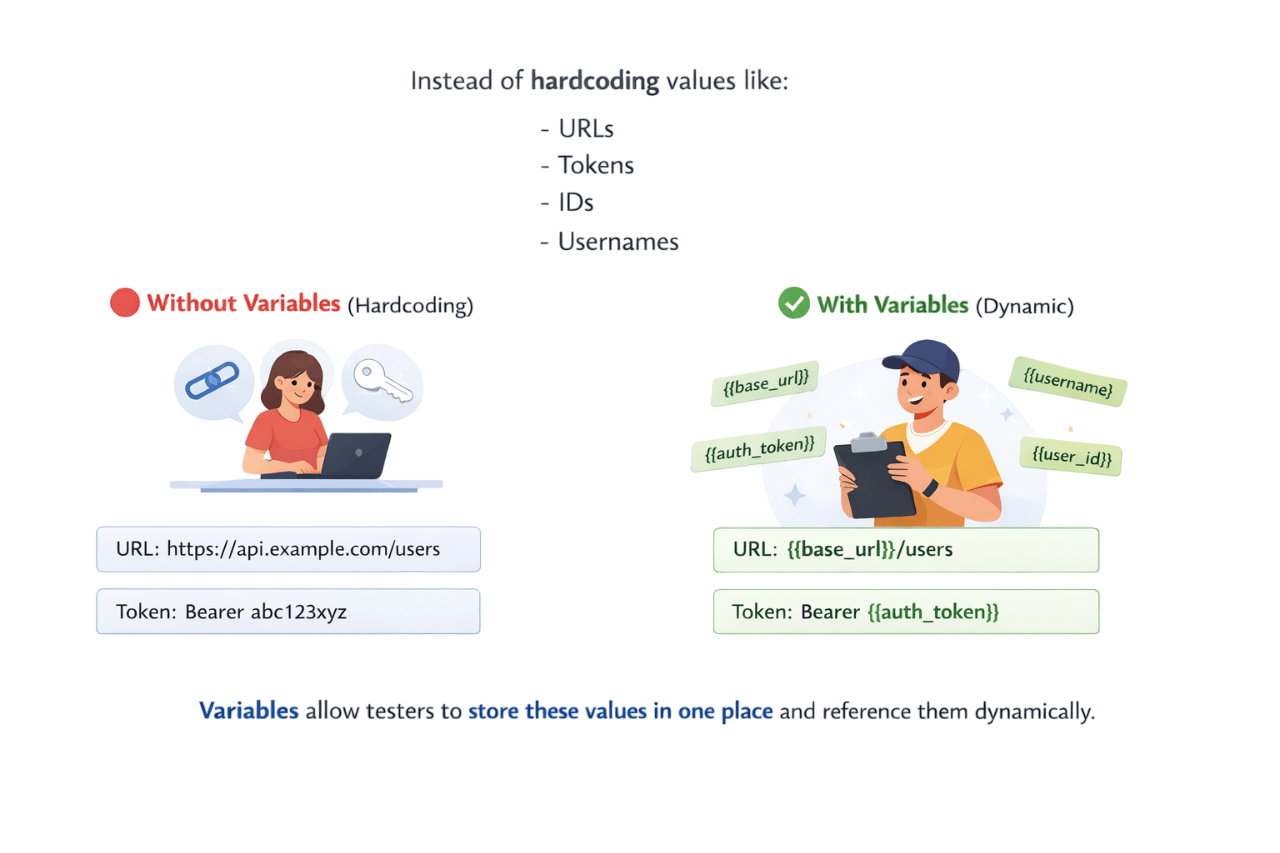
Postman variables store reusable values across requests, collections, or environments
Values allow testers to store these values in one place and reference them dynamically
Without Variables(Hardcoding)
URL: https://api.example.com/users
Token: Bearer abc123xyz
With Variables(Dynamic)
URL: {{base_url}}/users
Token: Bearer {{auth_token}}
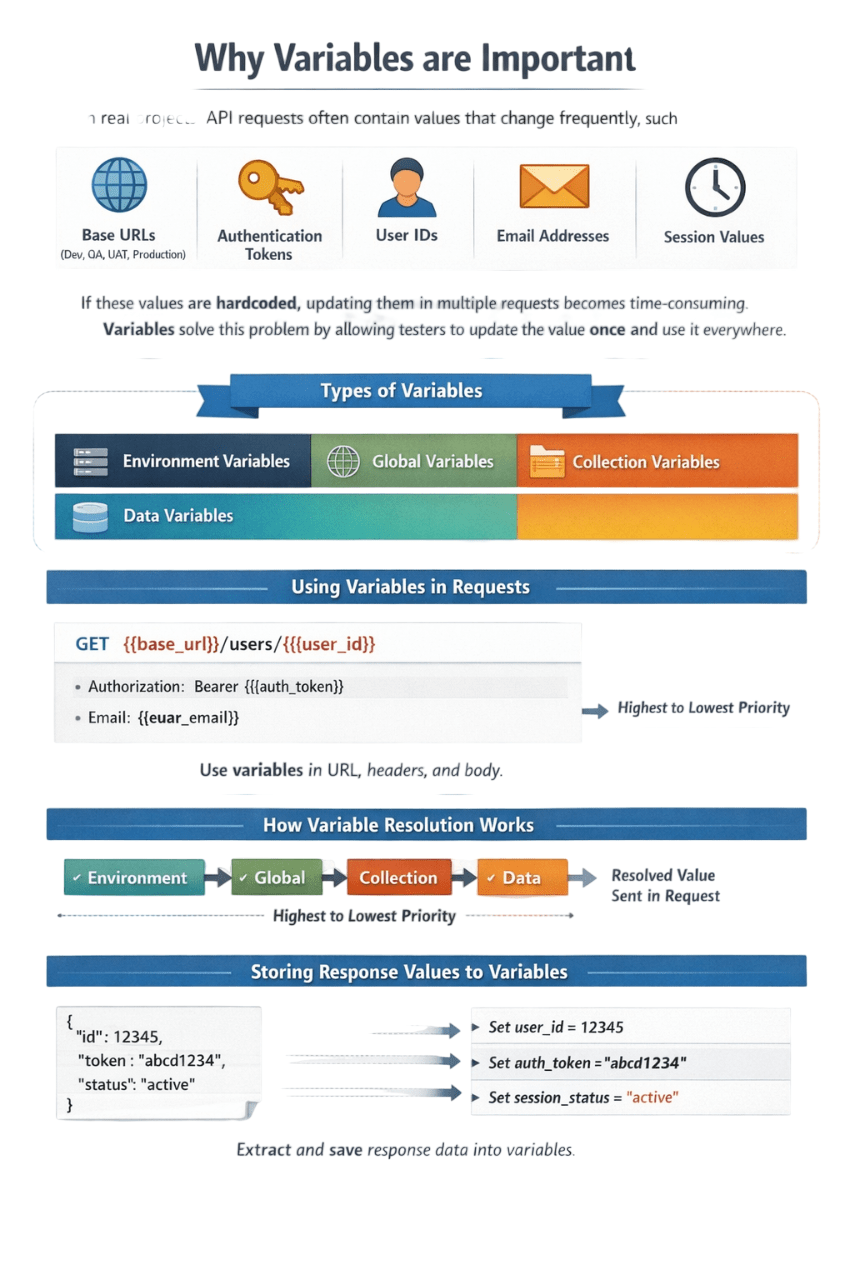
Why Variables are Important
In real projects, API requests often include frequently changing values like
Base URLs
Authenication
User IDs
Email Addresses
Session Values
If hardcoded, updating these values in multiple requests is time-consuming
Types of Variables
Environment Variables
Global Variables
Collection Variables
Data Variables
Using Variables in Requests
GET {{base_url}}/users/{{user_id}}
{{base_url}} → replaced with actual URL {{user_id}} → replaced with dynamic value {{base_url}} = https://reqres.in/api
{{user_id}} = 2
Final Request becomes
https://reqres.in/api/users/2
Global Variables
Global variables are accessible everywhere in Postman
One value
usable throughout the entire workspace
They can be used across:
Any change affects all collections & requests
Global variables are shared globally
pm.globals.set("api_key", "12345ABC");Setting a global variables
var key = pm.globals.get("api_key");
console.log(key);
Retrieve the variable
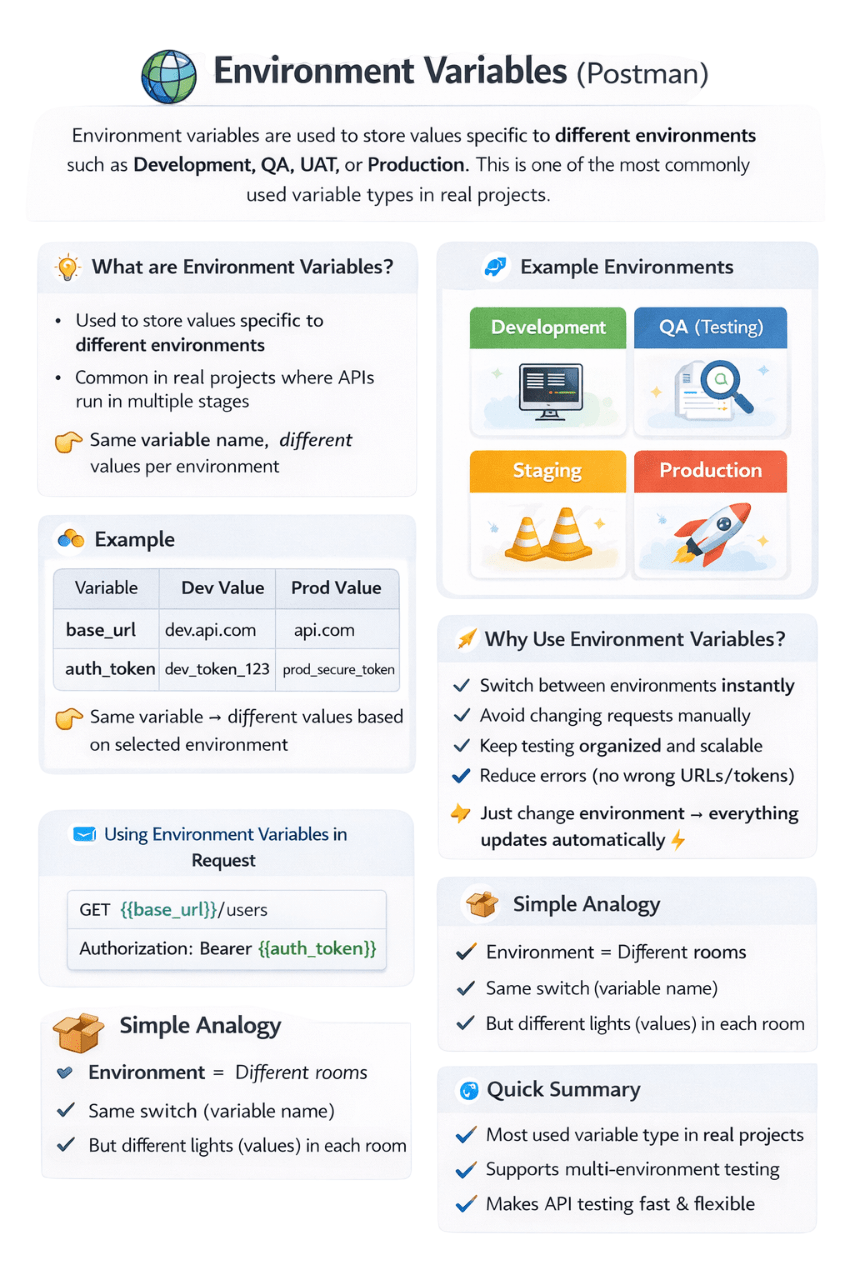
Environment Variables
Environment Variables store values specific to environments like Development, QA, UAT, or Production
This is one of the most commonly used variable type in real projects
Development
QA (Testing)
Staging
Production
base_url = https://dev.api.com
auth_token = dev_token_123
Development Environment
Step 1:
Create Same Variables in Different Environments
base_url = https://qa.api.com
auth_token = qa_token_456
QA Environment
base_url = https://api.com
auth_token = prod_token_789
Production Environment
GET {{base_url}}/users
Authorization: Bearer {{auth_token}}
Step 2:
Use Variables in Request
Step 3:
What happens?
https://dev.api.com/users
Authorization: Bearer dev_token_123
If you select Development Environment
https://dev.api.com/users
Authorization: Bearer dev_token_123
If you switch to Production Environment
Same request
Same variable name
Only environment changes
value changes automatically
Note:
Setting Environment Variable(scripts)
pm.environment.set("user_id", 101);Getting Environment Variable(scripts)
var id = pm.environment.get("user_id");Collection Variables
Collection variables are accessible within a specific collection only
Shared across all requests inside that collection
Not available outside collection
E-commerce APIs(Collection)
Variables
base_url
product_id
customer_id
Contains
Setting collection variable
pm.collectionVariables.set("base_url", "https://api.shop.com");Getting collection variable
var url = pm.collectionVariables.get("base_url");Local Variables
Local variables are temporary variables that exist only during the execution of a single request
They are typically used in test scripts or pre-request scripts
Once the request execution finishes, the variable is removed
Setting collection variable
pm.variables.set("username", "test_user");Getting collection variable
var name = pm.variables.get("username");
console.log(name);
Data Variables
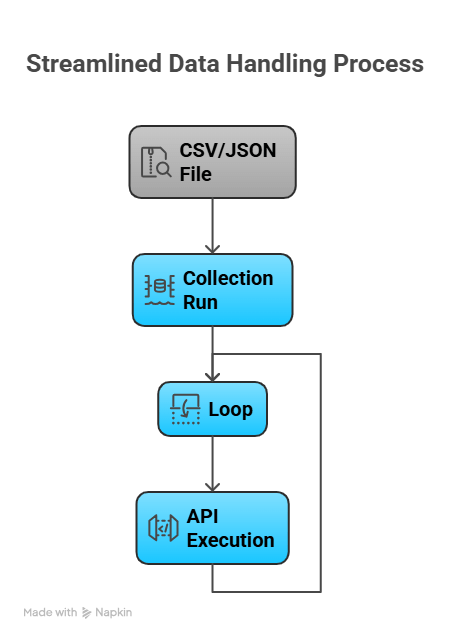
Data variables are values from external files (CSV/JSON) during runs, enabling APIs to execute multiple times with varied inputs
One API
Multiple Inputs
Multiple Execution
You want to test Order API with multiple products
Use a CSV file instead of running the same API manually
Step 1: Create CSV File
product_id,quantity
101,2
102,1
103,5
data.csv
Step 2: Create API Request
POST {{base_url}}/order
{
"product_id": "{{product_id}}",
"quantity": "{{quantity}}"
}
Json
Notice:
Iteration 1 → product_id=101 → API runs
Iteration 2 → product_id=102 → API runs
Iteration 3 → product_id=103 → API runs
These come from CSV automatically
Same API runs 3 times automatically
Dynamic Variables
Dynamic variables are Postman's built-in variables that generate values (like random data, timestamps, IDs) with each request
Used for generating test data automatically
{{$randomFirstName}}
{{$randomLastName}}
{{$randomEmail}}
{{$randomInt}}
{{$timestamp}}
Dynamic Variable
Request body using Dynamic Variable
{
  "name": "{{$randomFirstName}}",
  "email": "{{$randomEmail}}"
}
Postman generates new random values with each request
Summary
5
Use Variables to store reusable values like URLs, tokens, and IDs
4
Run requests sequentially to automate API workflows
3
Group APIs in Collections for better organization
2
Verify responses – status code, body, headers, and response time
1
Automate API validation using pm.test() and pm.expect()
Quiz
Which Postman Function is used to define a test case?
A. pm.expect()
B. pm.response()
C. pm.test()
D. pm.check()
Quiz-Answer
Which Postman Function is used to define a test case?
A. pm.expect()
B. pm.response()
C. pm.test()
D. pm.check()
By Content ITV