<info 340 A/>
Client-Side (Web) Development
Joel Ross
Autumn 2026
View of the Day
-
Introductions
-
Syllabus and course structure
-
Making a Web Page!
-
HTML & CSS
-

About Prof Ross

Teaching Professor

Email joelross@uw.edu
Zoom https://washington.zoom.us/my/joelross


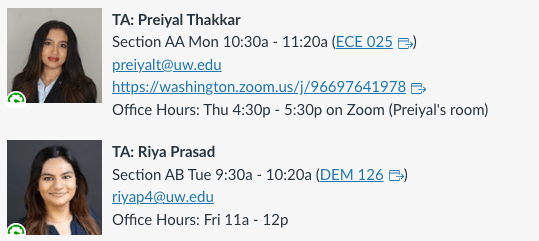
Your TAs!
Let's get to know each other!
Ice-Breaker Activity: Human Bingo
Introductions
Syllabus
The Experiment
I propose we intentionally trial and experiment with using LLMs and AI tools for programming.
- Spend time evaluating, critiquing, and improving LLM code instead of writing code from scratch.
Learn through reading code more than by writing code. - Same material and assignments (mostly), but different approach.
- We'll be learning to do this together. It may be rough/awkward.
You have autonomy to choose! Collectively can decide what to do.
How does that feel? Does it make you excited? Worried?
What would you like to do?
Assignments
Problem Sets
- Directed practice problems to make sure you can apply the material in code.
- Auto-graded on completion basis
- Due each week (mostly Friday) to keep you moving
- Grace period: can turn in 2 days late at no penalty
- After 2 days, earn up to 80% credit
- Treat these as having "hard" deadlines - don't put them off!
- As a learning strategy, no AI assistance for these
Assignments
Group Project
- Develop an interactive web app of your own choosing to creatively apply your new skills
- Completed in small teams (up to 4)
- Deliverables throughout the quarter:
-
Proposal, Draft 1, Draft, Final Version
-
Project deliverables have hard deadlines
- Iterating: fixing problems in subsequent drafts can boost earlier scores by up to 20%
-
- Short reflection assignment with each deliverable
- Additional small check-ins each week (do during lab)
- We'll be learning to use AI assistance for these!
Assignments
In-Class Activities & Discussion
- We're going to practice with LLMs and AI tools during "lecture" time. The learning will be in the discussion of those activities.
- Attendance is required for class (sorry!)
- Can miss up to 2 activities at no penalty
- Can miss up to 2 activities at no penalty
- Extra credit option: lead a reading discussion!
Resources and Tasks
Course Textbook: https://info340.github.io/ (required)
Video Demos: linked from Canvas (optional)
The course schedule has an ordered list of resources and tasks. The best way to approach this:
- Do the reading ahead of lecture [skiming okay!]
- Come to class and participate [required!]
- Optional: if still have questions: watch video [2x speed?]
- Complete the exercises/assignments [by the deadline!]
And ask lots of questions throughout!
Time Expectations
Class & Lab Work (5 hr/week)
- practice + activities + later project work (4 hr)
- project + review work in lab (1 hr)
At Home Work (10 hr/week)
- reading (1 hr)
- problem sets (4-5 hr)
- project work (3-4 hr) <= but "spiky"!
5 credit course = 15 hour per week commitment (link)
Questions so far?
Client-side Web Development



protocol
domain
resource

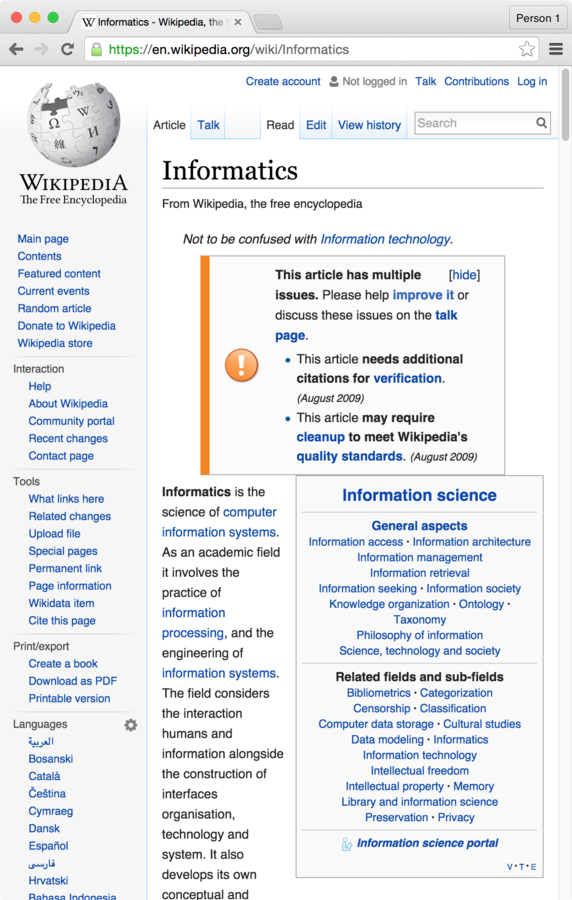
"Hi Wikipedia, I'd like you to send me the Informatics page!"
two
t
(how to handle info)
(who has info)
(what info you want)
Web Server
Response
Using the Internet
Request
+

=
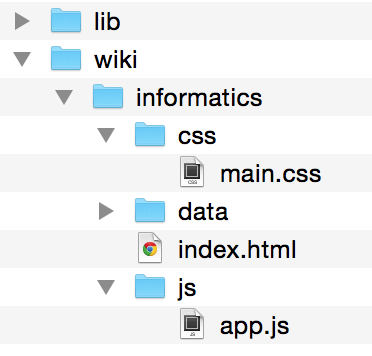
Let's make those files!
Making a page with Purple
Purple (https://purple.uw.edu/) is UW's AI tool. It is basically a branded version of ChatGPT/CoPilot that theoretically provides some data privacy. This provide a chat interface for engaging with these tools.
Let's try and have it build us a webpage!
Create a simple website that is the home page for a web development course

Editing the Page
Visual Studio Code
HTML
Hyper Text Markup Language
Adds meaning to otherwise plain text, telling the browser how to render it.

"this is a heading, this is a paragraph, this is a definition, this is a hyperlink..."
for documents that link to one another!
HTML Syntax
<tag>

Content

</tag>


<tag>content</TAG>
open/start tag
close/end tag (leading slash)
content
}
ignores whitespace and tag case (use lowercase)
Annotate content by surrounding it
with <tags>. The tags and their content are called an HTML Element
HTML Attributes
Elements can include attributes in the start tag, which specify options or add further meaning.
<tag attributeA="value" attributeB="value">
    content
</tag>
Attributes are a space-separated list of names (think: variables) and values.
Values are (almost) always Strings.
NO SPACES!
Nesting Elements
The content of a tag can contain
other HTML elements.
<h1>Hello <em>(with emphasis)</em> world!</h1>open h1
close h1
open em
close em
What's wrong here?
<p>I <strong>never<strong> make mistakes</p>important text
did not close tag!
HTML Tree

HTML documents are structured as an ordered tree of elements.
HTML for the Web
A particular structure is needed to make the HTML pages valid:
<!DOCTYPE html> <!-- browser instruction: doc's type is HTML -->
<html lang="en"> <!-- the document itself-->
  <head> <!-- metadata information (not shown) -->
     <!-- support non-English characters -->
     <meta charset="utf-8">
     <!-- for searche engines, etc -->
     <meta name="author" content="your name">
     <!-- title in tab-->
     <title>My Page Title</title>
  </head>
  <body> <!-- the body content (shown) -->
     <h1>Some content...</h1>
     ...
  </body>
</html>
Make some changes!
Based on what is here and we've talked about so far, make some changes to the content (don't worry about appearance).
- Can you make up and add more detail (more paragraphs)?
- Can you add a link to another website/resource?
- Can you add another image?
CSS
Cascading Style Sheets
A language that defines rules for styling
"use this color and font for the first paragraph in the article; this picture for the page's background..."
(kind of like Styles or Themes in PowerPoint, but way, way more powerful!)
Not this...
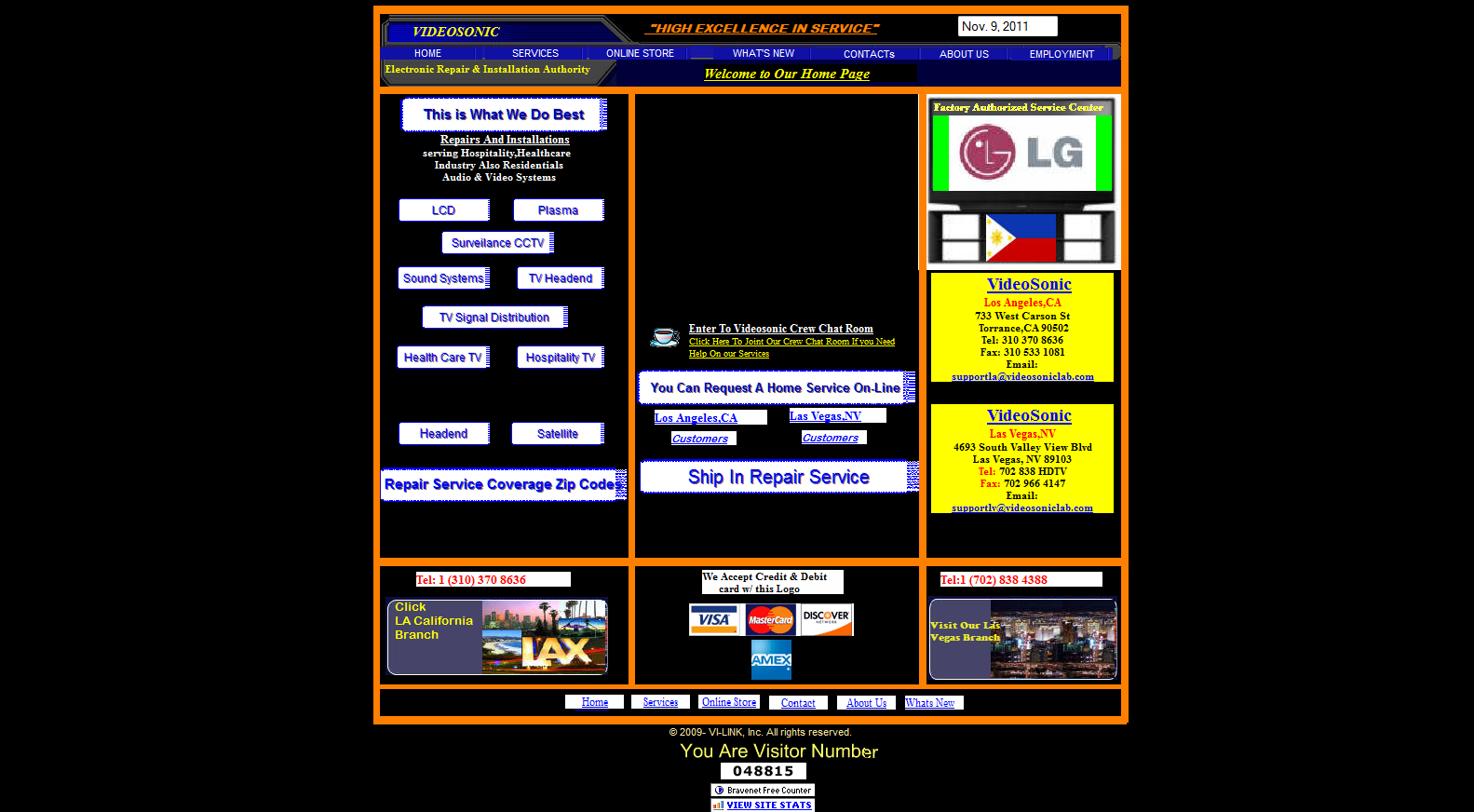
(see also: https://websitesfromhell.net/)
...but this!
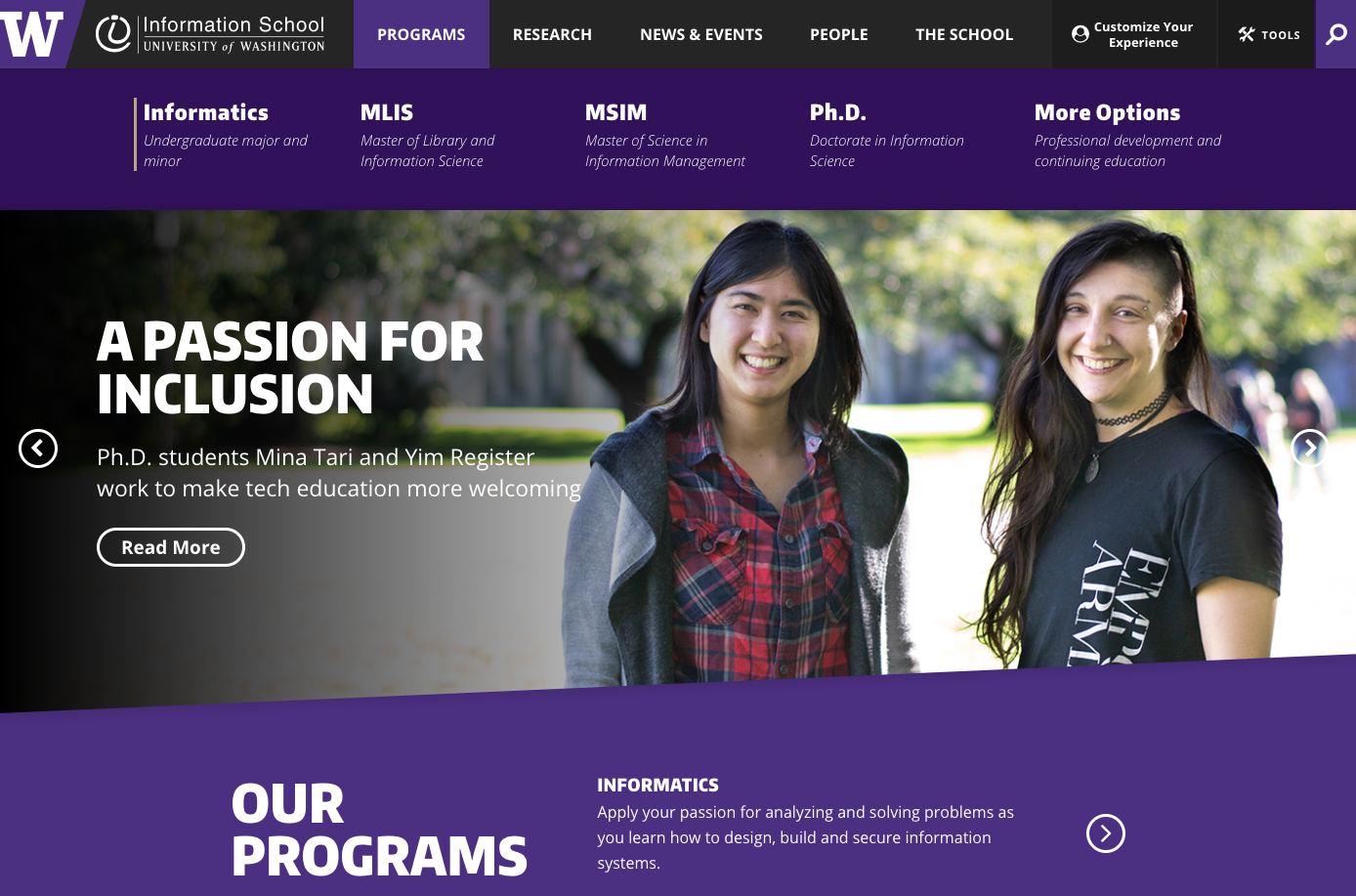
Hello CSS
Create a new file (File > New File)
Name it
style.css
h1 {
  color: rebeccapurple;
}
<head>
<link rel="stylesheet" href="my-style.css">
</head>
Link stylesheet in your HTML's
<head>
relation between this page and reference
no content,
no closing tag
CSS Syntax
List rules for formatting properties for a particular kind of element.
Rules list what values to assign to different formatting properties (variables)
Selectors tell which elements the properties apply to
/* A rule with many properties */
h1 {
  font-family: 'Helvetica';
  color: white;
  background-color: #333; /*dark gray*/
}
"font"
selector: apply to all <h1> elements
Class Selectors
Have a rule apply to only a particular elements by specifying those elements' class attribute and then using that class as the selector in the CSS
/* CSS */
.highlighted {
  background-color: yellow;
}
<!-- HTML -->
<p class="highlighted">This text is highlighted!</p>dot specifies class name, not tag name
Why two languages?


Separation of Concerns
Keep content separate
from appearance
Allows the same styling to apply to different content.
The same content can be presented in different ways to different users.
HTML vs. CSS
HTML specifies the content semantics.
CSS specifies the appearance.
<!-- HTML -->
<p>This text has <i>emphasis!</i></p>
/* CSS */
em {
font-style: normal;
text-decoration: underline;
}why is this italicized?
change what emphatic text looks like
HTML describes the meaning, not what it looks like!
<!-- HTML -->
<p>This text has <em>emphasis!</em></p>
says nothing about appearance!
CSS
Cascading Style Sheets
The Cascade
Multiple rules can apply to the same element (in a "cascade").
p { /* applies to all paragraphs */
  font-family: 'Helvetica'
}

.alert { /* applies to all elements with class="alert" */
  font-size: larger;
}

.success { /* applies to all elements with class="success" */
  color: #28a745; /* a pleasant green */
}
<p class="alert success">
This paragraph will be in Helvetica font, a larger
font-size, and green color, because all 3 of the above
rules apply to it.
</p>two classes (space separated)



Action Items!
-
Finish the "Start Here" steps on Canvas
-
Complete task list for Week 1 (all items)
-
Do all readings (skim at least)
-
Watch Command Line Basics
-
(Need it ahead of next week)
-
-
Reading for next week: Ch 3 in PS4DS
-
Next: Git and GitHub