<info 340/>
Client-Side (Web) Development
Joel Ross
Winter 2026
View of the Day
-
Introductions
-
Syllabus and course structure
-
Making a Web Page:
-
HTML
-
CSS (if time)
-

About Prof Ross

Teaching Professor

Email joelross@uw.edu
Zoom https://washington.zoom.us/my/joelross


Introduce to yourself to your neighbor!
Meet someone new!
Meet and Greet!

Everyone raise a hand
(Put it down again)
You are all capable of both speaking and raising your hand.
ASK LOTS OF QUESTIONS!
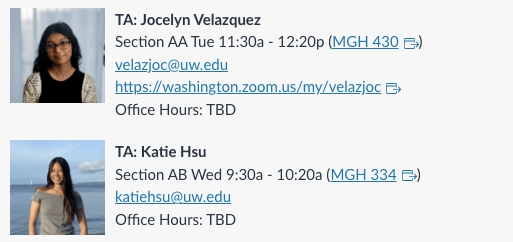
Your TAs!
Syllabus
Lectures
Lectures will be used to review and demo the material.
- They will not be comprehensive; also do the reading!
- I will stream and record lectures for people who are not able to attend in person
-
Do come to class whether in person or online
-
Do come to class whether in person or online
- Take responsibility for your own learning!
Please come to class!
Choose to make this a priority! It is the best way to stay engaged and succeed in this course.
Resources and Tasks
Course Textbook: https://info340.github.io/
Video Demos: linked from Canvas
The course schedule has an ordered list of resources and tasks. The best way to approach this:
- Do the reading ahead of lecture [skiming okay!]
- Come to lecture [make it a priority!]
- If still have questions: watch the video demo [2x speed?]
- If we didn't get to something in lecture, watch video!
- Complete the exercises/assignments [by the deadline!]
And ask lots of questions throughout!
Week 1 is packed!
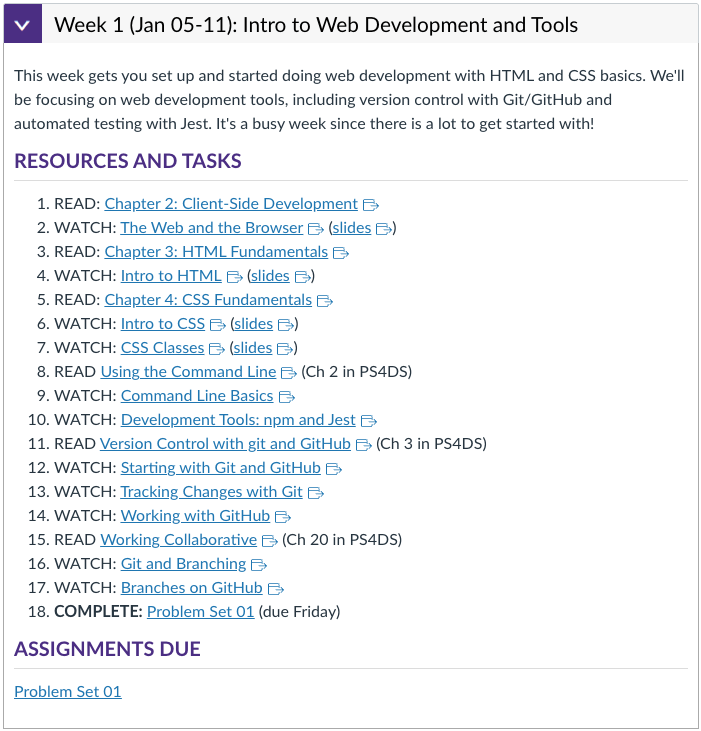
Week 1 is packed!
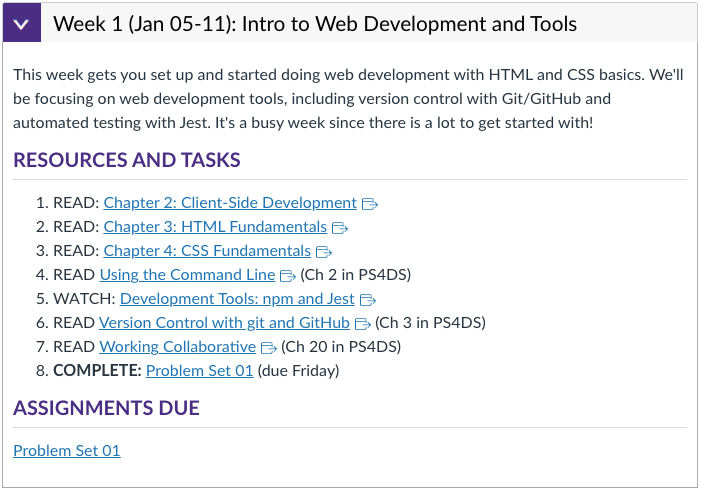
But if you come to lecture & lab, it looks more like this:
Assignments
Problem Sets
-
Directed practice problems to make sure you can apply the material in code.
- Auto-graded on completion basis
- Due each week (mostly Friday) to keep you moving
- Grace period: can turn in 2 days late at no penalty
- After 2 days, earn up to 80% credit
- Treat these as having "hard" deadlines - don't put them off!
Assignments
Quizzes
- Bi-weekly on paper quizzes to check for content understanding
- Administered during lecture
- 100% multiple-choice questions drawn from textbook reading/lecture notes
- ~15-20 questions per quiz
- ~15-20 questions per quiz
- "Study guide" (the questions without the answers) available 2-3 days ahead of time
Assignments
Group Project
- Develop an interactive web app of your own choosing to creatively apply your new skills
- Completed in small teams (up to 4)
- Deliverables throughout the quarter:
-
Proposal, Draft 1 (Static Mockup), Draft 2 (React), Final Version
-
Project deliverables have hard deadlines
-
Iterating: fixing problems in subsequent drafts can boost earlier scores by up to 20%
-
- Additional small check-ins each week (do during lab)
Time Expectations
Class & Lab Work (5 hr/week)
- lecture/demo/practice+quizzes (4 hr)
- project work in lab (1 hr)
At Home Work (10 hr/week)
- reading/videos (2 hr)
- problem sets (4-5 hr)
- project work (3-4 hr) <= but "spiky"!
5 credit course = 15 hour per week commitment (link)
AI Policy (Summary)
While the task maybe to implement a program, the work you need to do for this class is to learn the material. AI is not good at that.
The policy for this course:
- ❌ Don't use AI tools for problem sets
-
✅ You can use AI tools for projects:
-
⚠️ AI can do the "first pass", but you do the debugging part
- Don't put code into the generator!
-
⚠️ You need to distinguish what work is the AI and what work is yours
- AI-supported code committed separately through git
- Written explanation of your human work (assignment with project deliverables)
-
⚠️ AI can do the "first pass", but you do the debugging part
For full details, see the syllabus and the Gen AI in Projects Guidelines
Questions so far?
Client-side Web Development



protocol
domain
resource

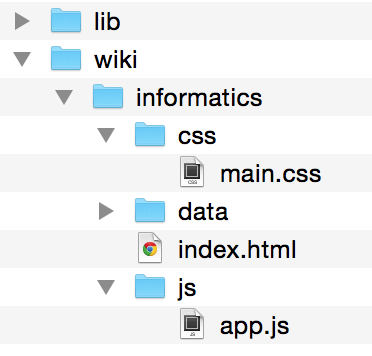
"Hi Wikipedia, I'd like you to send me the Informatics page!"
two
t
(how to handle info)
(who has info)
(what info you want)
Web Server
Response
Using the Internet
Request
+

=
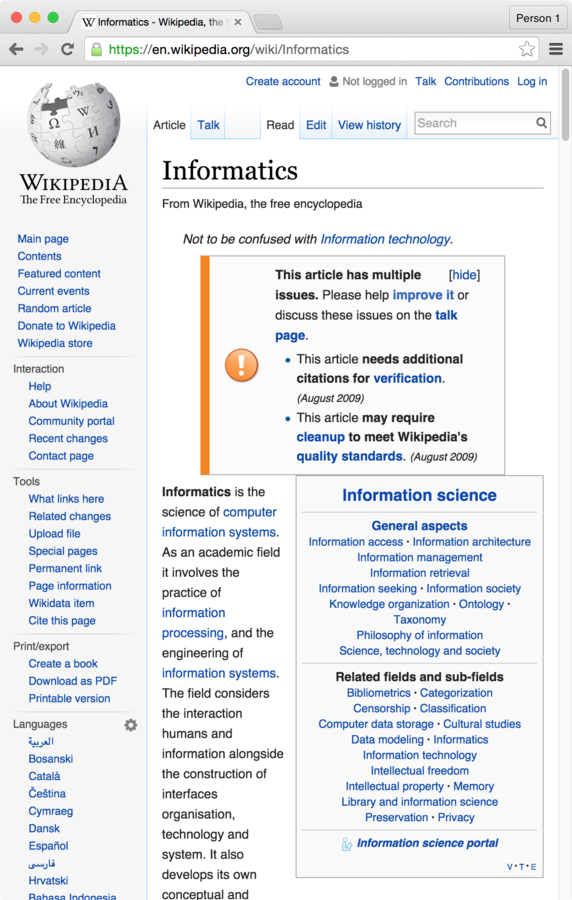
Let's make those files!

Visual Studio Code
Create and edit
index.html file


Open the file with browser (e.g., Chrome)
What if we want so say how
the content is rendered?
HTML
Hyper Text Markup Language
Adds meaning to otherwise plain text

"this is a heading, this is a paragraph, this is a definition, this is a hyperlink..."
for documents that link to one another!
HTML Syntax
<tag>

Content

</tag>


<tag>content</TAG>
open/start tag
close/end tag (leading slash)
content
}
ignores whitespace and tag case (use lowercase)
Annotate content by surrounding it
with <tags>. The tags and their content are called an HTML Element
Some Common Elements
-
<h1>: a 1st-level heading -
<h2>: a 2nd-level heading (and so on, down to <h6>) -
<p>: a paragraph of text -
<a>: an “anchor”, or a hyperlink -
<img>: an image -
<button>: a button -
<em>: emphasized content (not necessarily italic). The same as _text_ in Markdown. -
<ul>: an unordered list (and <ol> is an ordered list) -
<li>: a list item (an item in a list) -
<table>: a data table -
<form>: a form for the user to fill out -
<div>: a division (section) of content. Also acts as an empty block element (followed by a line break)
Practice
- Add an <h1> element with your name.
- Add two <p> elements as two paragraphs about you
HTML Attributes
Elements can include attributes in the start tag, which specify options or add further meaning.
<tag attributeA="value" attributeB="value">
    content
</tag>
Attributes are a space-separated list of names (think: variables) and values.
Values are (almost) always Strings.
NO SPACES!
<html lang="en">
...
</html>
<!-- an image -->
<img src="baby_picture.jpg" alt="a cute baby"><!-- a is an "anchor" (hyperlink) -->
<a href="https://ischool.uw.edu">iSchool homepage</a>
Example Attributes
"hypertext reference"
alternate text for screen readers
source
images have no (text) content so no closing tag
language of document is English
Practice
- Add a <a> element containing a link to another site.
- Add an <img> element with a picture (of whatever you want)
Nesting Elements
The content of a tag can contain
other HTML elements.
<h1>Hello <em>(with emphasis)</em> world!</h1>open h1
close h1
open em
close em
What's wrong here?
<p>I <strong>never<strong> make mistakes</p>important text
did not close tag!
Example: Nested Lists
<!-- An unordered list (ul) with 3 items.
  The second item's content contains an
  ordered list (ol) containing 2 items. -->
<ul>
  <li>Pigeons</li>
  <li>
    Swallows:
    <ol>
      <li>African</li>
      <li>European</li>
    </ol>
  </li>
  <li>Budgies</li>
</ul>
cmd + / to
comment a line
comments
Practice
- Add a single short list (ordered <ol> or unordered <ul>) of projects you've done, courses you've taken, etc.
- Include some nested content: emphasize (<em> or <strong>) content, put a link in the list, etc.
HTML Tree

HTML documents are structured as an ordered tree of elements.
HTML for the Web
A particular structure is needed to make the HTML pages valid:
<!DOCTYPE html> <!-- browser instruction: doc's type is HTML -->
<html lang="en"> <!-- the document itself-->
  <head> <!-- metadata information (not shown) -->
     <!-- support non-English characters -->
     <meta charset="utf-8">
     <!-- for searche engines, etc -->
     <meta name="author" content="your name">
     <!-- title in tab-->
     <title>My Page Title</title>
  </head>
  <body> <!-- the body content (shown) -->
     <h1>Some content...</h1>
     ...
  </body>
</html>
Practice
- Add the scaffolding (<!DOCTYPE> <html>, <head>, and <body> elements) to your page!
We have a web page...
...but how do we make it look good?
Not this...
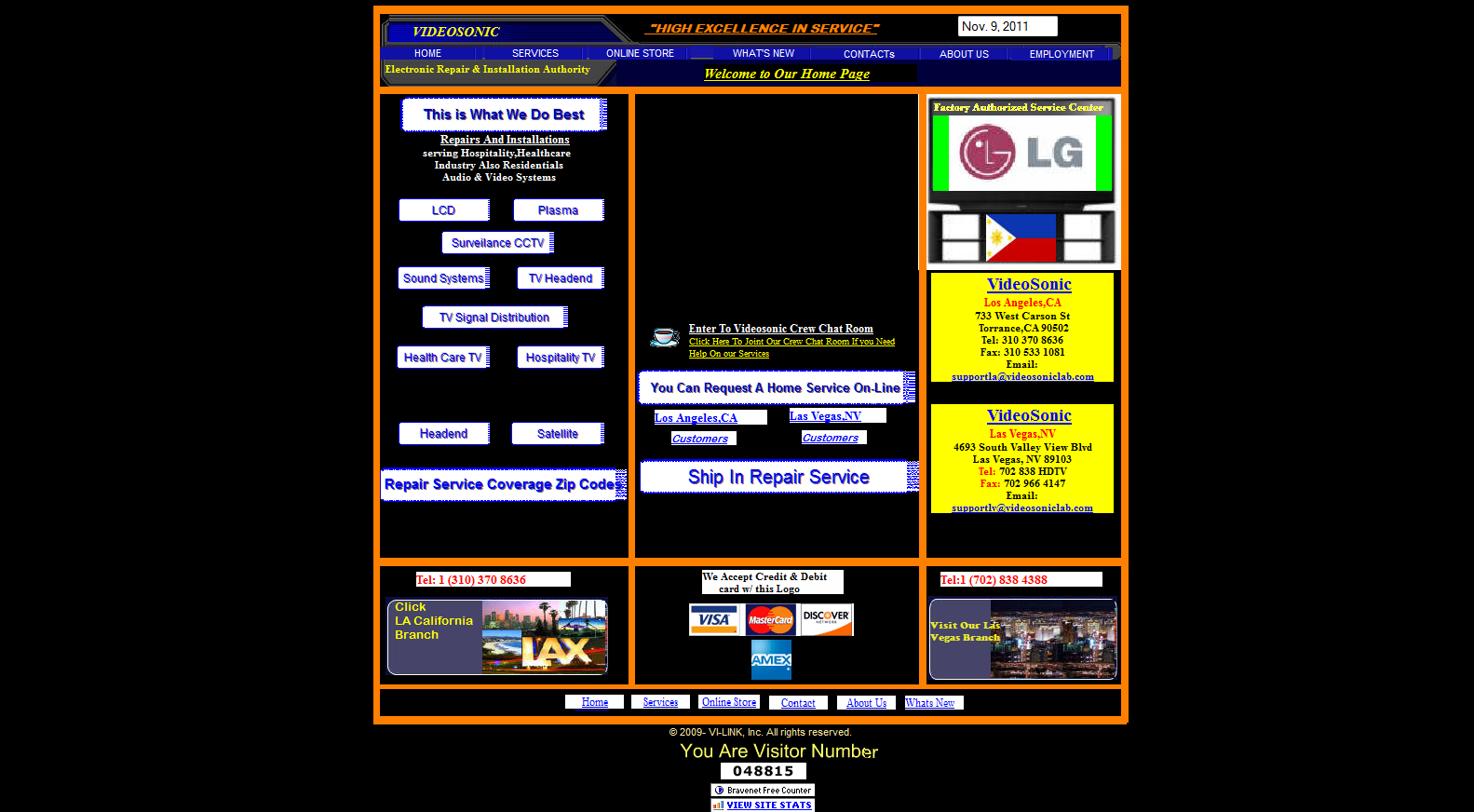
(see also: https://websitesfromhell.net/)
...but this!

CSS
Cascading Style Sheets
A language that defines rules for styling
"use this color and font for the first paragraph in the article; this picture for the page's background..."
(kind of like Styles or Themes in PowerPoint, but way, way more powerful!)

CSS Syntax
List rules for formatting properties for a particular kind of element.
Rules list what values to assign to different formatting properties (variables)
Selectors tell which elements the properties apply to
/* A rule with many properties */
h1 {
  font-family: 'Helvetica';
  color: white;
  background-color: #333; /*dark gray*/
}
"font"
selector: apply to all <h1> elements
Hello CSS
Create a new file (File > New File)
Name it
style.css
h1 {
  font-family: 'Helvetica';
  color: white;
  background-color: #333; /*dark gray*/
}
<head>
<link rel="stylesheet" href="my-style.css">
</head>
Link stylesheet in your HTML's
<head>
relation between this page and reference
no content,
no closing tag
CSS Properties
What can we change with CSS?
-
font-family: the "font" (list alternates separated by commas) -
font-size: the size of the text -
font-weight: boldness -
color: text color -
background-color: element's background -
padding: the space around an element - ... and many, many, more!
Practice
- Style the font-family for the paragraphs in your page
- Style the background-color for your page
Why two languages?


Separation of Concerns
Keep content separate
from appearance
Allows the same styling to apply to different content.
The same content can be presented in different ways to different users.
HTML vs. CSS
HTML specifies the content semantics.
CSS specifies the appearance.
<!-- HTML -->
<p>This text has <i>emphasis!</i></p>
/* CSS */
em {
font-style: normal;
text-decoration: underline;
}why is this italicized?
change what emphatic text looks like
HTML describes the meaning, not what it looks like!
<!-- HTML -->
<p>This text has <em>emphasis!</em></p>
says nothing about appearance!
Class Selectors
Have a rule apply to only a particular elements by specifying those elements' class attribute and then using that class as the selector in the CSS
/* CSS */
.highlighted {
  background-color: yellow;
}
<!-- HTML -->
<p class="highlighted">This text is highlighted!</p>dot specifies class name, not tag name
Class Example
Add HTML attributes and CSS Rules so character names are in different colors!
<!-- HTML -->
<p class="rebel">Leia Organa</p>
<p class="imperial">Darth Vader</p>
/* CSS */
.rebel {
   color: red;
}

.imperial {
   color: gray;
}
CSS
Cascading Style Sheets
The Cascade
Multiple rules can apply to the same element (in a "cascade").
p { /* applies to all paragraphs */
  font-family: 'Helvetica'
}

.alert { /* applies to all elements with class="alert" */
  font-size: larger;
}

.success { /* applies to all elements with class="success" */
  color: #28a745; /* a pleasant green */
}
<p class="alert success">
This paragraph will be in Helvetica font, a larger
font-size, and green color, because all 3 of the above
rules apply to it.
</p>two classes (space separated)


Action Items!
-
Finish the "Start Here" steps on Canvas
-
Follow the task list for Week 1
-
Do all readings (skim at least!)
-
Watch videos for items 9-10 (command line)
-
Other videos are "optional" unless you need them
-
-
Lab: Command line
Next: Git and GitHub
info340wi26-intro
By Joel Ross