
Content ITV PRO
This is Itvedant Content department
Business Scenario
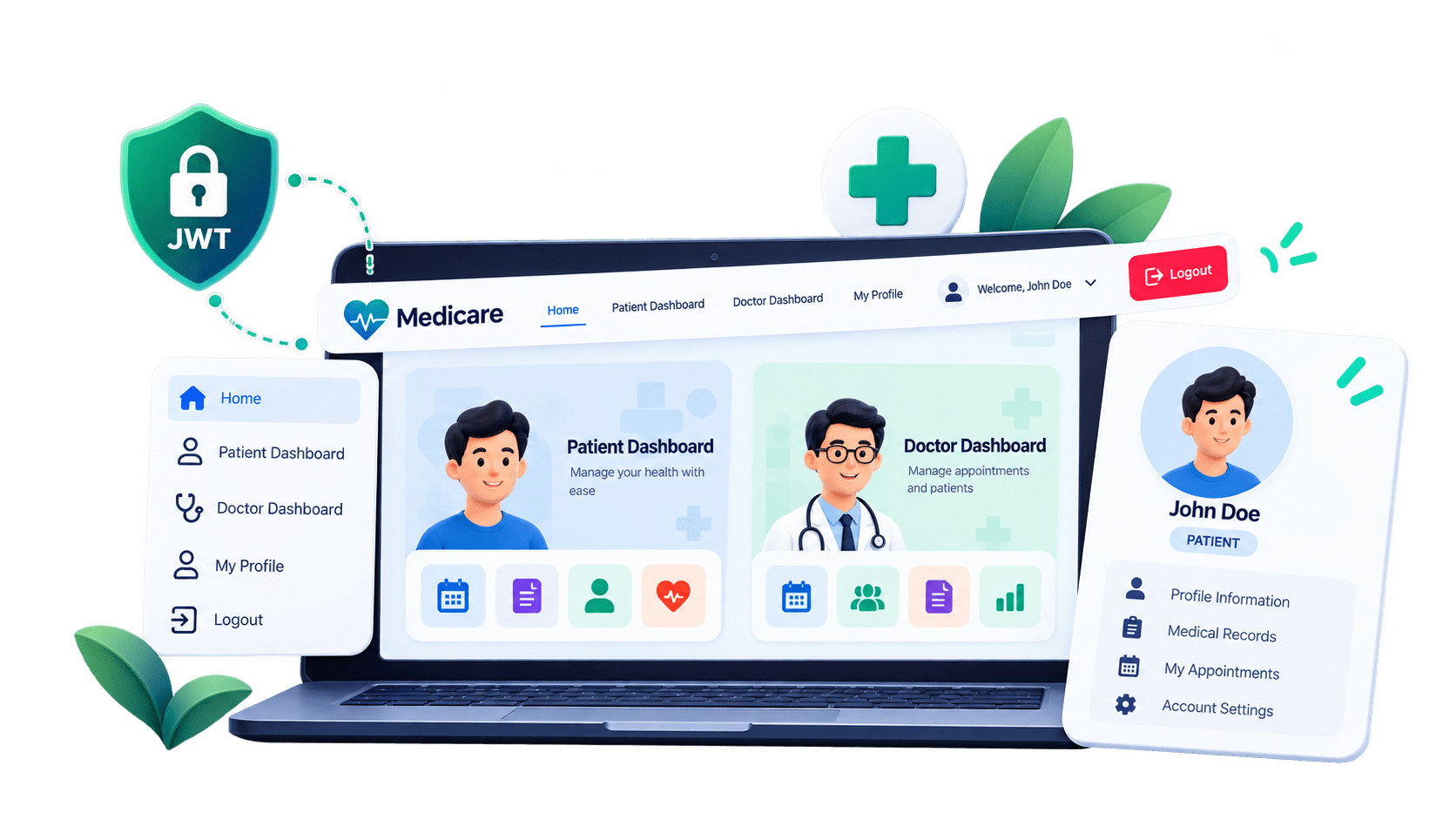
In this lab, we will enhance the Medicare React frontend by implementing a reusable navigation bar and a shared page layout using React Router's Outlet.
Pre-Lab Preparation
Module:
1) React Basics & Backend Integration (Spring Boot)
Phase 12C — Navbar, Shared Layout, Dashboards & Profile
Update api.js
1
import axios from "axios";
const api = axios.create({
    baseURL: import.meta.env.VITE_API_BASE_URL,
headers: {
"Content-Type": "application/json"
}
});
// Used for APIs that require JWT
export const getAuthConfig = () => {
const token =
localStorage.getItem("token");
if (!token) {
return {};
}
return {
headers: {
Authorization: `Bearer ${token}`
}
};
};
export default api;localStorage ↓ getAuthConfig() ↓ Authorization: Bearer <token> ↓ Spring Boot
Create userService.js
2
src/services/userService.js
import api, {getAuthConfig} from "../api/api";


const getCurrentUser = async () => {

    const response = await api.get(
        "/users/me",
        getAuthConfig()
    );


    return response.data;
};


const userService = {
    getCurrentUser
};


export default userService;Create Shared Layout
3
src/components/layout/MainLayout.jsx
import {Outlet} from "react-router";
import Navbar from "../navbar/Navbar";
function MainLayout() {
    return (
        <>
            <Navbar />
            <main> <Outlet /> </main>
        </>
    );
}
export default MainLayout;
What is Outlet?
MainLayout
    │
    ├── Navbar
    │
    └── Outlet
          ↓
       Current Page
/patient/dashboardReact renders:
Navbar
PatientDashboard
Navbar
MyProfile
Create Navbar
4
src/components/navbar/Navbar.jsx
import { Link, useNavigate } from "react-router";
import { useAuth } from "../../context/AuthContext";

function Navbar() {
const navigate = useNavigate();
const { user, isAuthenticated, logout } = useAuth();
const handleLogout = () => {
logout();
navigate("/login");
};
return (
<nav className="navbar navbar-expand-lg bg-white border-bottom">
<div className="container">
<Link className="navbar-brand fw-bold text-primary" to="/">
Medicare</Link>
<button className="navbar-toggler" type="button"
data-bs-toggle="collapse" data-bs-target="#mainNavbar">
<span className="navbar-toggler-icon"></span>
</button>
<div className="collapse navbar-collapse" id="mainNavbar">
<ul className="navbar-nav ms-auto align-items-lg-center">
{!isAuthenticated && (
<>
<li className="nav-item">
<Link className="nav-link" to="/login">
Login</Link>
</li>
<li className="nav-item">
<Link className="btn btn-primary ms-lg-2"
to="/register">Register</Link> </li>
</>
)}
{isAuthenticated && user?.role === "PATIENT" && (
<>
<li className="nav-item">
<Link className="nav-link"
to="/patient/dashboard"> Dashboard</Link>
</li>
<li className="nav-item">
<Link className="nav-link"
to="/patient/profile">
My Profile</Link>
</li>
</>
)}
{isAuthenticated && user?.role === "DOCTOR" && (
<li className="nav-item">
<Link className="nav-link" to="/doctor/dashboard">
Dashboard</Link>
</li>
)}
{isAuthenticated && (
<li className="nav-item ms-lg-3">
<button className="btn btn-outline-danger"
onClick={handleLogout}>Logout</button>
</li> )}
</ul>
</div>
</div>
</nav>
);
}
export default Navbar;What useEffect() Is Doing
useEffect(() => {

    loadProfile();

}, []);MyProfile ↓ userService.getCurrentUser() ↓ GET /api/users/me ↓ Authorization: Bearer JWT ↓ Spring Boot ↓ UserResponse ↓ setUser() ↓ UI updates
Improve Patient Dashboard
5
import { Link } from "react-router";
import { useAuth } from "../../context/AuthContext";

function PatientDashboard() {
    const { user } = useAuth();

    return (
        <div className="container py-5">
            <div className="mb-5">
                <h2>Welcome, {user?.name}</h2>
                <p className="text-secondary">
                Manage your healthcare from your dashboard.</p>
            </div>
<div className="row g-4">
{/* FIND DOCTOR */}
<div className="col-md-6 col-lg-3">
<div className="card h-100 shadow-sm">
<div className="card-body">
<h5 className="card-title">Find Doctor</h5>
<p className="card-text text-secondary">
Search doctors by specialization,
name and consultation fee.</p>
<button className="btn btn-primary" disabled>
Coming Next</button>
</div>
</div>
</div>
{/* APPOINTMENTS */}
<div className="col-md-6 col-lg-3">
<div className="card h-100 shadow-sm">
<div className="card-body">
<h5 className="card-title">My Appointments</h5>
<p className="card-text text-secondary">
View upcoming and completed appointments.</p>
<button className="btn btn-primary" disabled>
Coming Soon</button>
</div>
</div>
</div>
                {/* PRESCRIPTIONS */}
                <div className="col-md-6 col-lg-3">
                    <div className="card h-100 shadow-sm">
                        <div className="card-body">
                            <h5 className="card-title">Prescriptions</h5>
                            <p className="card-text text-secondary">
                            View prescriptions from completed appointments.</p>
                            <button className="btn btn-primary" disabled>
                            Coming Soon</button>
                        </div>
                    </div>
                </div>


                {/* PROFILE */}
                <div className="col-md-6 col-lg-3">
                    <div className="card h-100 shadow-sm">
                        <div className="card-body">
                            <h5 className="card-title">My Profile</h5>
                            <p className="card-text text-secondary">
                            View your Medicare account information.</p>
                            <Link to="/patient/profile"
                            className="btn btn-outline-primary">
                            View Profile</Link>
                        </div>
                    </div>
                </div>
            </div>
        </div>
);
}
export default PatientDashboard;Improve Doctor Dashboard
6
import { useAuth } from "../../context/AuthContext";

function DoctorDashboard() {
    const { user } = useAuth();

    return (
        <div className="container py-5">
<div className="mb-5">
<h2>Welcome, Dr. {user?.name}</h2>
<p className="text-secondary">
Manage appointments and patient consultations.</p>
</div>
<div className="row g-4">
<div className="col-md-6">
<div className="card h-100 shadow-sm">
<div className="card-body">
<h5>My Schedule</h5>
<p className="text-secondary">
View your assigned patient appointments.</p>
<button className="btn btn-primary" disabled>
Coming Soon</button>
</div>
</div>
</div>
<div className="col-md-6">
<div className="card h-100 shadow-sm">
<div className="card-body">
<h5>Prescriptions</h5>
<p className="text-secondary">
Add prescriptions after completing consultations.</p>
<button className="btn btn-primary" disabled>
Coming Soon</button>
</div>
</div>
</div> </div>
</div>
);
}
export default DoctorDashboard;Update Router to Use MainLayout
7
import { createBrowserRouter } from "react-router";
import MainLayout from "../components/layout/MainLayout";
import Home from "../pages/common/Home";
import Login from "../pages/auth/Login";
import Register from "../pages/auth/Register";
import PatientDashboard from "../pages/patient/PatientDashboard";
import MyProfile from "../pages/patient/MyProfile";
import DoctorDashboard from "../pages/doctor/DoctorDashboard";
import Unauthorized from "../pages/common/Unauthorized";
import NotFound from "../pages/common/NotFound";
import ProtectedRoute from "./ProtectedRoute";

const router = createBrowserRouter([
    {
        path: "/",
        element: <MainLayout />,
        children: [
            {
                index: true,
                element: <Home />
            },
            {
                path: "login",
                element: <Login />
            },
            {
                path: "register",
                element: <Register />
            },
            {
                path: "patient/dashboard",
                element: (
                    <ProtectedRoute allowedRoles={["PATIENT"]}>
                        <PatientDashboard />
                    </ProtectedRoute>
                )
            },
            {
                path: "patient/profile",
                element: (
                    <ProtectedRoute allowedRoles={["PATIENT"]}>
                        <MyProfile />
                    </ProtectedRoute>
                )
            },
            {
                path: "doctor/dashboard",
                element: (
                    <ProtectedRoute allowedRoles={["DOCTOR"]}>
                        <DoctorDashboard />
                    </ProtectedRoute>
                )
            },
            {
                path: "unauthorized",
                element: <Unauthorized />
            },
            {
                path: "*",
                element: <NotFound />
            }
        ]
    }
]);

export default router;
import PatientDashboard from "../pages/patient/PatientDashboard";
import MyProfile from "../pages/patient/MyProfile";
import DoctorDashboard from "../pages/doctor/DoctorDashboard";
import Unauthorized from "../pages/common/Unauthorized";
import NotFound from "../pages/common/NotFound";
import ProtectedRoute from "./ProtectedRoute";
const router = createBrowserRouter([
{
path: "/",
element: <MainLayout />,
children: [
{
index: true,
element: <Home />
},
{
path: "login",
element: <Login />
},
{
path: "register",
element: <Register />
},
{
path: "patient/dashboard",
element: (
<ProtectedRoute allowedRoles={["PATIENT"]}>
<PatientDashboard />
</ProtectedRoute>
                )
            },
            {
                path: "patient/profile",
                element: (
                    <ProtectedRoute allowedRoles={["PATIENT"]}>
                        <MyProfile />
                    </ProtectedRoute>
                )
            },
            {
                path: "doctor/dashboard",
                element: (
                    <ProtectedRoute allowedRoles={["DOCTOR"]}>
                        <DoctorDashboard />
                    </ProtectedRoute>
                )
            },
            {
                path: "unauthorized",
                element: <Unauthorized />
            },
            {
                path: "*",
                element: <NotFound />
            }
        ]
    }
]);
export default router; )
},
{
path: "patient/profile",
element: (
<ProtectedRoute allowedRoles={["PATIENT"]}>
<MyProfile />
</ProtectedRoute>
)
},
{
path: "doctor/dashboard",
element: (
<ProtectedRoute allowedRoles={["DOCTOR"]}>
<DoctorDashboard />
</ProtectedRoute>
)
},
{
path: "unauthorized",
element: <Unauthorized />
},
{
path: "*",
element: <NotFound />
}
]
}
]);export default router;New Route Structure
8
MainLayout
├── Navbar
└── Outlet
     │
     ├── Home
     ├── Login
     ├── Register
     │
     ├── PATIENT
     │   ├── Dashboard
     │   └── My Profile
     │
     ├── DOCTOR
     │   └── Dashboard
     │
     ├── Unauthorized
     └── NotFound
Test Patient Profile
9
GET - http://localhost:8080/api/users/me
Authorization:
Bearer eyJ...
{
    "id": 1,
    "name": "Rahul Shah",
    "email": "rahul@gmail.com",
    "phone": "9876543210",
    "role": "PATIENT"
}My Profile Name Rahul Shah Email rahul@gmail.com Phone 9876543210 Account Type PATIENT
Check the Browser Network Tab
10
My Profile

Name
Rahul Shah

Email
rahul@gmail.com

Phone
9876543210

Account Type
PATIENT
Check the Browser Network Tab
10
Developer Tools
    ↓
Network
Authorization:
Bearer eyJhbGciOiJIUzI1NiJ9...
Login
 ↓
JWT
 ↓
localStorage
 ↓
userService
 ↓
Authorization header
 ↓
JwtAuthenticationFilter
 ↓
SecurityContext
 ↓
UserController
Test Without Token
11
React
→ UX route protection

Spring Boot
→ actual API security
We are done with this lab. The latest source code has been uploaded to GitHub. You can access the latest commit using the link below:
Great job!
You have successfully enhanced the Medicare application by implementing a reusable Navbar, shared layout with React Router's Outlet, and role-based navigation for patients and doctors.
Checkpoint
Git Push
git push origin branchNameNext-Lab Preparation
Module:
1) React Basics & Backend Integration (Spring Boot)
By Content ITV