
Content ITV PRO
This is Itvedant Content department
PayFlow Performance Testing Fundamentals
Business Scenario
Welcome back to the PayFlow Project.
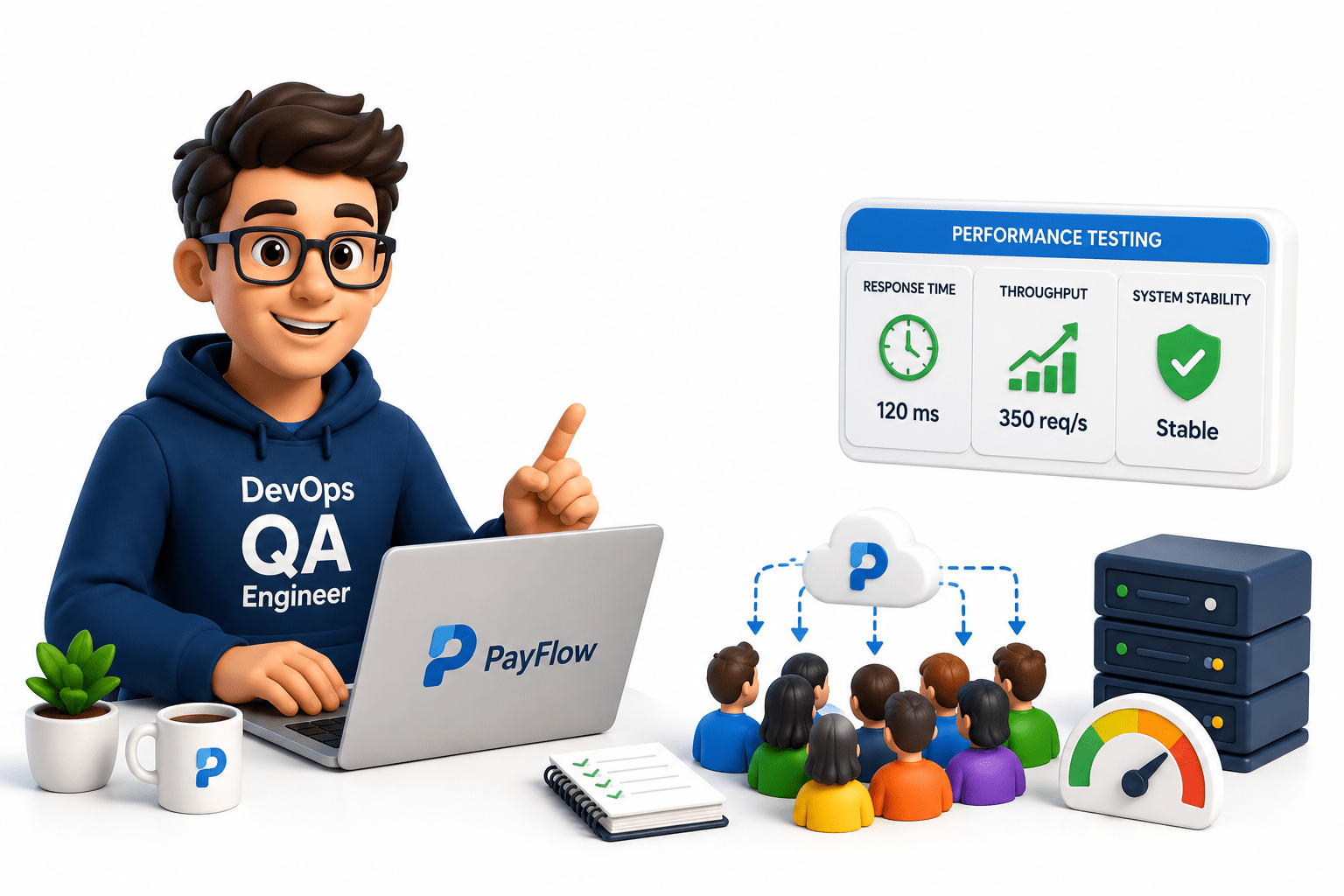
In the previous lab, you learned AI-powered functional testing. As a DevOps QA Engineer, your next responsibility is ensuring the PayFlow application performs efficiently under multiple users. While functional testing verifies correctness, performance testing measures response time, throughput, and system stability under different workloads.
Pre-Lab Preparation
Topic :
1) Understand performance testing concepts
2) Identify KPIs (throughput, response time)
3) Define test scenarios
4) Prepare performance test plan
In this lab, you will learn performance testing fundamentals, key performance metrics (KPIs), realistic test scenarios, and how to prepare a performance test plan. By the end, you will be ready to perform performance testing using tools like Apache JMeter in upcoming labs.
Task 1: Understand Performance Testing Concepts
What is Performance Testing?
Performance Testing is a type of non-functional testing that measures how well an application performs under different workloads. It checks the application's speed, response time, stability, and scalability when multiple users access it simultaneously.
Understand Performance Testing
1
How Does It Work?
The Performance Testing process includes:
Example (PayFlow Project)
Assume 500 users make online payments at the same time.
Performance Testing checks:
Teacher Activity
Show a real-world example of an online payment application during a sale.
Screenshot
📷 Performance Testing Workflow
📷 PayFlow Application Under Load
How Does It Work?
The Performance Testing process includes:
Example (PayFlow Project)
Assume 500 users make online payments at the same time.
Performance Testing checks:
Teacher Activity
Show a real-world example of an online payment application during a sale.
Screenshot
Understand the Need for Performance Testing
2
What is the Need for Performance Testing?
Performance Testing ensures that an application continues to work efficiently even when many users access it at the same time. It helps identify performance issues before the software is released.
How Does It Work?
Example (PayFlow Project)
During a festival sale, thousands of customers access the PayFlow application simultaneously. Performance Testing verifies whether the application can process all payment requests without delays or failures.
Screenshot
📷 Heavy User Traffic
📷 Server Load Example
What is the Need for Performance Testing?
Performance Testing ensures that an application continues to work efficiently even when many users access it at the same time. It helps identify performance issues before the software is released.
How Does It Work?
Example (PayFlow Project)
During a festival sale, thousands of customers access the PayFlow application simultaneously. Performance Testing verifies whether the application can process all payment requests without delays or failures.
Screenshot
Understand the Types of Performance Testing
3
What are the Types of Performance Testing?
The main types of Performance Testing are:
How Does It Work?
Different user loads are simulated depending on the testing objective.
For example:
100 Users → Load Testing
1000 Users → Stress Testing
Sudden jump from 100 to 1000 users → Spike Testing
Continuous testing for 8 hours → Endurance Testing
How Does It Work?
Example (PayFlow Project)
During a festival sale, thousands of customers access the PayFlow application simultaneously. Performance Testing verifies whether the application can process all payment requests without delays or failures.
Screenshot
What are the Types of Performance Testing?
The main types of Performance Testing are:
How Does It Work?
Different user loads are simulated depending on the testing objective.
For example:
| Testing Type | Example |
|---|---|
| Load Testing | 500 users make payments simultaneously. |
| Stress Testing | 5000 users access the payment portal. |
| Spike Testing | Traffic suddenly increases during a flash sale. |
| Endurance Testing | Payment application runs continuously for 12 hours. |
| Volume Testing | Database contains millions of transaction records. |
Example (PayFlow Project)
Screenshot
Types of Performance Testing
Performance Testing Comparison Chart
Understand the Performance Testing Process
4
What is the Performance Testing Process?
The Performance Testing process is a sequence of activities used to plan, execute, analyze, and improve application performance.
How Does It Work?
The process includes:
Analyze requirements.
Define performance objectives.
Prepare test scenarios.
Configure the test environment.
Execute performance tests.
Analyze reports.
Optimize the application.
Re-test after improvements.
Example (PayFlow Project)
For testing the Payment Module:
Define 500 concurrent users.
Execute Load Testing.
Measure response time.
Analyze bottlenecks.
Improve server performance if required.
Screenshot
📷 Performance Testing Lifecycle
📷 Testing Workflow
What is the Performance Testing Process?
The Performance Testing process is a sequence of activities used to plan, execute, analyze, and improve application performance.
How Does It Work?
The process includes:
Analyze requirements.
Define performance objectives.
Prepare test scenarios.
Configure the test environment.
Execute performance tests.
Analyze reports.
Optimize the application.
Re-test after improvements.
Example (PayFlow Project)
For testing the Payment Module:
Define 500 concurrent users.
Execute Load Testing.
Measure response time.
Analyze bottlenecks.
Improve server performance if required.
Screenshot
Performance Testing Lifecycle
Testing Workflow
Understand the Performance Testing Process
5
What is the Role of Performance Testing in DevOps?
In DevOps, Performance Testing is integrated into the CI/CD pipeline to ensure that every new software build meets performance standards before deployment. Automated performance tests help identify performance issues early in the development lifecycle.
How Does It Work?
Example (PayFlow Project)
A developer updates the payment module and pushes the changes to GitHub. Jenkins triggers the pipeline, JMeter executes a performance test with 500 virtual users, and generates a report showing response time, throughput, and error rate. If the results meet the defined performance criteria, the build is approved for deployment.
Screenshot
What is the Role of Performance Testing in DevOps?
In DevOps, Performance Testing is integrated into the CI/CD pipeline to ensure that every new software build meets performance standards before deployment. Automated performance tests help identify performance issues early in the development lifecycle.
How Does It Work?
Example (PayFlow Project)
A developer updates the payment module and pushes the changes to GitHub. Jenkins triggers the pipeline, JMeter executes a performance test with 500 virtual users, and generates a report showing response time, throughput, and error rate. If the results meet the defined performance criteria, the build is approved for deployment.
Screenshot
Task 2: Identify Performance KPIs
What are Performance KPIs?
1
Performance KPIs (Key Performance Indicators) are measurable values used to evaluate how well an application performs under different workloads. They help testers determine whether the application meets the expected performance requirements.
Performance KPIs (Key Performance Indicators) are measurable values used to evaluate how well an application performs under different workloads. They help testers determine whether the application meets the expected performance requirements.
How Does It Work?
During performance testing:
Example (PayFlow Project)
During a load test with 500 users, the QA team records:
These values help determine whether the payment application performs efficiently.
Screenshot
Performance KPIs (Key Performance Indicators) are measurable values used to evaluate how well an application performs under different workloads. They help testers determine whether the application meets the expected performance requirements.
How Does It Work?
During performance testing:
Example (PayFlow Project)
During a load test with 500 users, the QA team records:
These values help determine whether the payment application performs efficiently.
Screenshot
Measure Response Time
2
What is Response Time?
Response Time is the time taken by the application to respond to a user's request. It starts when a user sends a request and ends when the complete response is received.
Why is Response Time Important?
Response Time helps to:
How Does It Work?
Example (PayFlow Project)
A customer clicks the Pay Now button.
Response Time = 2 Seconds
Screenshot
What is Response Time?
Response Time is the time taken by the application to respond to a user's request. It starts when a user sends a request and ends when the complete response is received.
Why is Response Time Important?
Response Time helps to:
How Does It Work?
Example (PayFlow Project)
A customer clicks the Pay Now button.
Response Time = 2 Seconds
Screenshot
What is Response Time?
Response Time is the time taken by the application to respond to a user's request. It starts when a user sends a request and ends when the complete response is received.
Why is Response Time Important?
Response Time helps to:
How Does It Work?
Example (PayFlow Project)
A customer clicks the Pay Now button.
Response Time = 2 Seconds
Screenshot
Measure Throughput
3
What is Throughput?
Throughput is the number of requests or transactions processed by the application within a specific period of time.
It indicates how much work the application can handle.
How Does It Work?
Example (PayFlow Project)
During one minute:
Screenshot
📷 Throughput Report
📷 Transactions Graph
What is Throughput?
Throughput is the number of requests or transactions processed by the application within a specific period of time.
It indicates how much work the application can handle.
How Does It Work?
Example (PayFlow Project)
During one minute:
Screenshot
Understand Concurrent Users and Transactions Per Second (TPS)
4
What are Concurrent Users?
Concurrent Users are the number of users accessing the application at the same time.
What is Transactions Per Second (TPS)?
TPS (Transactions Per Second) is the number of successful transactions processed by the application every second.
How Does It Work?
Simulate multiple users.
Execute transactions.
Measure how many users are active simultaneously.
Calculate TPS.
Example (PayFlow Project)
During testing:
Concurrent Users = 500
Transactions Per Second = 25 TPS
This means the application supports 500 active users and processes 25 successful payment transactions every second.
Screenshot
📷 Concurrent Users Graph
📷 TPS Report
What are Concurrent Users?
Concurrent Users are the number of users accessing the application at the same time.
What is Transactions Per Second (TPS)?
TPS (Transactions Per Second) is the number of successful transactions processed by the application every second.
How Does It Work?
Example (PayFlow Project)
During testing:
This means the application supports 500 active users and processes 25 successful payment transactions every second.
Screenshot
Measure Error Rate and Analyze KPI Results
5
Step Objective
Learn how to measure Error Rate and analyze all KPI values to determine application performance.
What is Error Rate?
Error Rate is the percentage of failed requests or transactions during performance testing.
It indicates the reliability and stability of the application.
How Does It Work?
Example (PayFlow Project)
Step Objective
Learn how to measure Error Rate and analyze all KPI values to determine application performance.
What is Error Rate?
Error Rate is the percentage of failed requests or transactions during performance testing.
It indicates the reliability and stability of the application.
How Does It Work?
Example (PayFlow Project)
Performance Test Results:
| KPI | Value |
|---|---|
| Response Time | 2 Seconds |
| Throughput | 600 Transactions/Minute |
| Concurrent Users | 500 |
| TPS | 25 |
| Error Rate | 1% |
The QA team analyzes these results to determine whether the PayFlow application meets the expected performance standards.
Screenshot
The QA team analyzes these results to determine whether the PayFlow application meets the expected performance standards.
Screenshot
Task 3: Define Performance Test Scenarios
Understand Performance Test Scenarios
1
What is a Performance Test Scenario?
A Performance Test Scenario is a planned business activity that is tested under a specific user load to evaluate the application's speed, stability, and scalability. It represents how real users interact with the application during normal or peak usage.
How Does It Work?
Example (PayFlow Project)
Business Scenario:
500 users log in and make online payments simultaneously.
The QA team verifies whether the application can process all transactions successfully without slowing down.
Screenshot
📷 PayFlow Business Workflow
📷 Performance Test Scenario Diagram
What is a Performance Test Scenario?
A Performance Test Scenario is a planned business activity that is tested under a specific user load to evaluate the application's speed, stability, and scalability. It represents how real users interact with the application during normal or peak usage.
How Does It Work?
Example (PayFlow Project)
Business Scenario:
500 users log in and make online payments simultaneously.
The QA team verifies whether the application can process all transactions successfully without slowing down.
Screenshot
Identify Critical Business Transactions
2
What are Critical Business Transactions?
Critical Business Transactions are the most frequently used and business-important operations that directly affect users and business performance.
How Does It Work?
Example (PayFlow Project)
Critical transactions include:
User Login
Search Product
Add to Cart
Payment Processing
Transaction Confirmation
Logout
These transactions should always be included in performance testing.
Screenshot
📷 PayFlow Transaction Flow
📷 Business Process Diagram
What are Critical Business Transactions?
Critical Business Transactions are the most frequently used and business-important operations that directly affect users and business performance.
How Does It Work?
Example (PayFlow Project)
Critical transactions include:
These transactions should always be included in performance testing.
Screenshot
What are Critical Business Transactions?
Critical Business Transactions are the most frequently used and business-important operations that directly affect users and business performance.
How Does It Work?
Example (PayFlow Project)
Critical transactions include:
These transactions should always be included in performance testing.
Screenshot
Define User Load and Workload
3
Example (PayFlow Project)
Screenshot
Create Performance Test Scenarios
4
What are Performance Test Scenarios?
Performance Test Scenarios are different situations used to evaluate application behavior under various workloads.
How Does It Work?
What are Performance Test Scenarios?
Performance Test Scenarios are different situations used to evaluate application behavior under various workloads.
How Does It Work?
Example (PayFlow Project)
| Scenario | Users | Expected Result |
|---|---|---|
| Login Test | 300 | Successful Login |
| Payment Test | 500 | Payment Completed |
| Transaction History | 200 | Records Displayed |
| Logout Test | 300 | User Logged Out |
Screenshot
Review and Validate Test Scenarios
5
What is Scenario Validation?
Scenario Validation is the process of checking whether the defined performance test scenarios are complete, realistic, and aligned with business requirements.
How Does It Work?
Review all defined scenarios.
Verify business workflows.
Check user load and workload.
Confirm expected results.
Finalize scenarios for execution.
Example (PayFlow Project)
The QA team reviews all payment-related scenarios and confirms that Login, Payment, Transaction Confirmation, and Logout workflows are included before starting performance testing.
Screenshot
📷 Scenario Review Checklist
📷 Final Performance Test Scenario Document
📷 Performance Test Plan Preview
What is Scenario Validation?
Scenario Validation is the process of checking whether the defined performance test scenarios are complete, realistic, and aligned with business requirements.
How Does It Work?
Example (PayFlow Project)
The QA team reviews all payment-related scenarios and confirms that Login, Payment, Transaction Confirmation, and Logout workflows are included before starting performance testing.
Screenshot
What is Scenario Validation?
Scenario Validation is the process of checking whether the defined performance test scenarios are complete, realistic, and aligned with business requirements.
How Does It Work?
Example (PayFlow Project)
The QA team reviews all payment-related scenarios and confirms that Login, Payment, Transaction Confirmation, and Logout workflows are included before starting performance testing.
Screenshot
Task 4: Define Prepare Performance Test Plan
Understand the Performance Test Plan
1
What is a Performance Test Plan?
A Performance Test Plan is a document that defines how performance testing will be conducted. It includes the testing objectives, scope, environment, workload, test scenarios, tools, and expected results.
How Does It Work?
The QA team prepares the Performance Test Plan before testing by defining:
Example (PayFlow Project)
Prepare a Performance Test Plan for the Online Payment Module to verify application performance with 500 concurrent users.
Screenshot
📷 Sample Performance Test Plan
📷 Test Planning Workflow
What is a Performance Test Plan?
A Performance Test Plan is a document that defines how performance testing will be conducted. It includes the testing objectives, scope, environment, workload, test scenarios, tools, and expected results.
How Does It Work?
The QA team prepares the Performance Test Plan before testing by defining:
Example (PayFlow Project)
Prepare a Performance Test Plan for the Online Payment Module to verify application performance with 500 concurrent users.
Screenshot
Define Test Objectives and Scope
2
What are Test Objectives and Scope?
Test Objectives describe what needs to be achieved through performance testing.
Test Scope defines which application modules and functionalities will be included or excluded from testing.
How Does It Work?
Identify business requirements.
Select critical application modules.
Define testing goals.
Document included and excluded functionalities.
Example (PayFlow Project)
Objective:
Verify that the Payment Module supports 500 concurrent users with acceptable response time.
Scope:
Included:
Login
Payment Processing
Transaction Confirmation
Excluded:
Admin Module
Report Generation
Screenshot
📷 Test Objective Document
📷 Scope Definition
What are Test Objectives and Scope?
Test Objectives describe what needs to be achieved through performance testing.
Test Scope defines which application modules and functionalities will be included or excluded from testing.
How Does It Work?
Example (PayFlow Project)
Objective:
Verify that the Payment Module supports 500 concurrent users with acceptable response time.
Scope:
Included:
Excluded:
Screenshot
Plan Test Environment and Workload
3
What is a Test Environment?
A Test Environment is the hardware, software, network, database, and testing tools required to execute performance tests.
What is Workload Planning?
Workload Planning defines the number of users, test duration, and user activities during testing.
How Does It Work?
Configure the test server.
Install testing tools (JMeter).
Define the number of users.
Specify test duration.
Select business transactions to execute.
Example (PayFlow Project)
Environment:
Application Server
Test Database
Apache JMeter
Windows System
Workload:
Users: 500
Duration: 30 Minutes
Activities:
Login
Payment
Transaction Confirmation
Logout
Screenshot
📷 Test Environment Diagram
📷 Workload Planning Table
What is a Test Environment?
A Test Environment is the hardware, software, network, database, and testing tools required to execute performance tests.
What is Workload Planning?
Workload Planning defines the number of users, test duration, and user activities during testing.
How Does It Work?
Example (PayFlow Project)
Environment:
Workload:
What is a Test Environment?
A Test Environment is the hardware, software, network, database, and testing tools required to execute performance tests.
What is Workload Planning?
Workload Planning defines the number of users, test duration, and user activities during testing.
How Does It Work?
Example (PayFlow Project)
Environment:
Workload:
Screenshot
Define Success Criteria
4
What are Success Criteria?
Success Criteria are predefined performance standards that the application must achieve during testing.
How Does It Work?
Example (PayFlow Project)
What are Success Criteria?
Success Criteria are predefined performance standards that the application must achieve during testing.
How Does It Work?
Example (PayFlow Project)
| KPI | Target Value |
|---|---|
| Response Time | Less than 2 Seconds |
| Throughput | 600 Transactions/Minute |
| Concurrent Users | 500 Users |
| Error Rate | Less than 1% |
| TPS | 25 Transactions/Second |
If the results meet these values, the performance test is considered successful.
Screenshot
If the results meet these values, the performance test is considered successful.
Screenshot
Review and Finalize the Performance Test Plan
5
What is Test Plan Review?
A Test Plan Review is the process of verifying that all testing requirements, scenarios, workload, KPIs, and success criteria are complete and approved before execution.
How Does It Work?
Example (PayFlow Project)
The QA team reviews the Performance Test Plan and confirms:
Objectives are clearly defined.
Critical payment workflows are included.
Environment is ready.
Workload is configured for 500 concurrent users.
KPI targets are documented.
The plan is approved for execution.
Screenshot
📷 Final Performance Test Plan
📷 Test Plan Review Checklist
📷 Approved Performance Test Plan
What is Test Plan Review?
A Test Plan Review is the process of verifying that all testing requirements, scenarios, workload, KPIs, and success criteria are complete and approved before execution.
How Does It Work?
Example (PayFlow Project)
The QA team reviews the Performance Test Plan and confirms:
Screenshot
Great job!
Congratulations! You have completed the PayFlow AI-Assisted CI/CD Optimisation & Debugging lab. In this lab, you learned how AI supports DevOps by assisting with Jenkins pipeline configuration, analysing CI/CD failures, optimising workflows, and improving automation testing efficiency. You also explored how AI can reduce manual effort, speed up troubleshooting, and improve software quality. These skills will help you build smarter and more efficient CI/CD pipelines using modern AI-powered DevOps practices.
Checkpoint
Great job!
Congratulations! You have successfully completed the PayFlow Performance Testing Fundamentals lab.
In this lab, you learned the fundamentals of Performance Testing and its importance in ensuring application speed, stability, and scalability. You explored different performance testing concepts, identified key performance indicators (KPIs) such as Response Time, Throughput, Concurrent Users, Transactions Per Second (TPS), and Error Rate, defined realistic performance test scenarios based on the PayFlow application, and prepared a structured Performance Test Plan. These concepts provide a strong foundation for executing real-time performance tests and analyzing application performance using Apache JMeter in the upcoming lab.
Checkpoint
Next-Lab Preparation
Topic:
1) Install Apache JMeter
2) Create load test scripts
3) Execute stress tests
4) Analyze system behavior
By Content ITV