























Content ITV PRO
This is Itvedant Content department
Learning Outcome
5
Test APIs using Postman tool efficiently.
4
Use request and response handling effectively.
3
Implement REST APIs with proper HTTP methods.
2
Handle HTTP requests using mapping annotations.
1
Understand role of Controller Layer in applications.
Controller
Service
Layer
Model
Database
HTTPS
request
Repository Class Extending
CRUD Services
Dependency
Injection
Controller
Service
Layer
Model
Database
Repository Class Extending
CRUD Services
Dependency
Injection
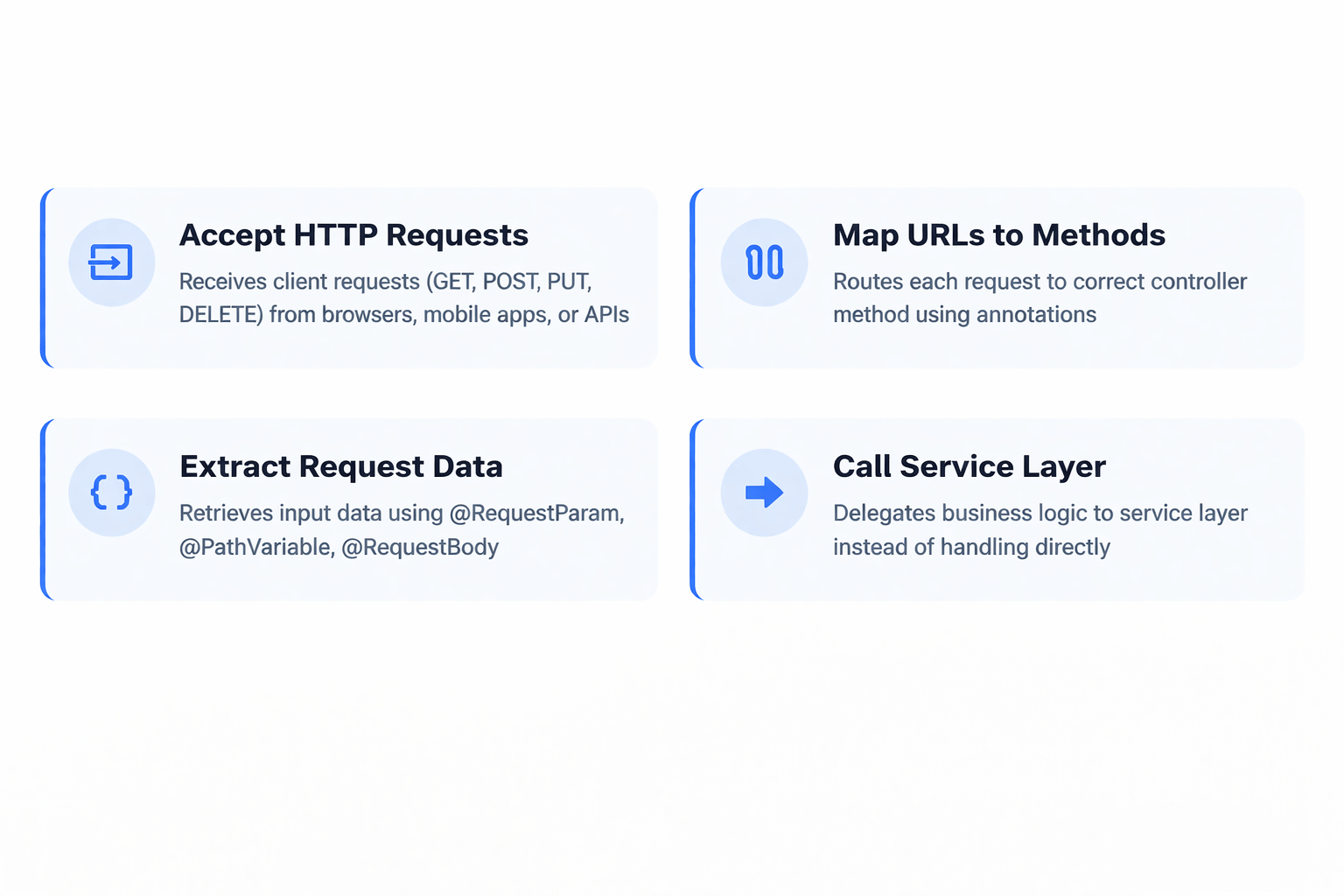
The entry point of a Spring Boot application
Handles incoming HTTP requests from clients, processes them, and returns appropriate responses
Receives Requests
From browsers, mobile apps, or API clients like Postman
Processes Requests
Validates input, delegates to service layer, applies business logic
Returns Responses
Sends back JSON, XML, or HTTP status codes to the client
Primary Response Format: JSON (JavaScript Object Notation)
Bridge Between Client & Service
Connects external clients to internal business logic
Handles HTTP Requests & Responses
Manages communication protocol between client and server
Delegates to Service Layer
Forwards business logic processing to service components
Maintains Separation of Concerns
Keeps architecture clean and maintainable
Key Principle: Controllers handle HTTP communication, not business logic
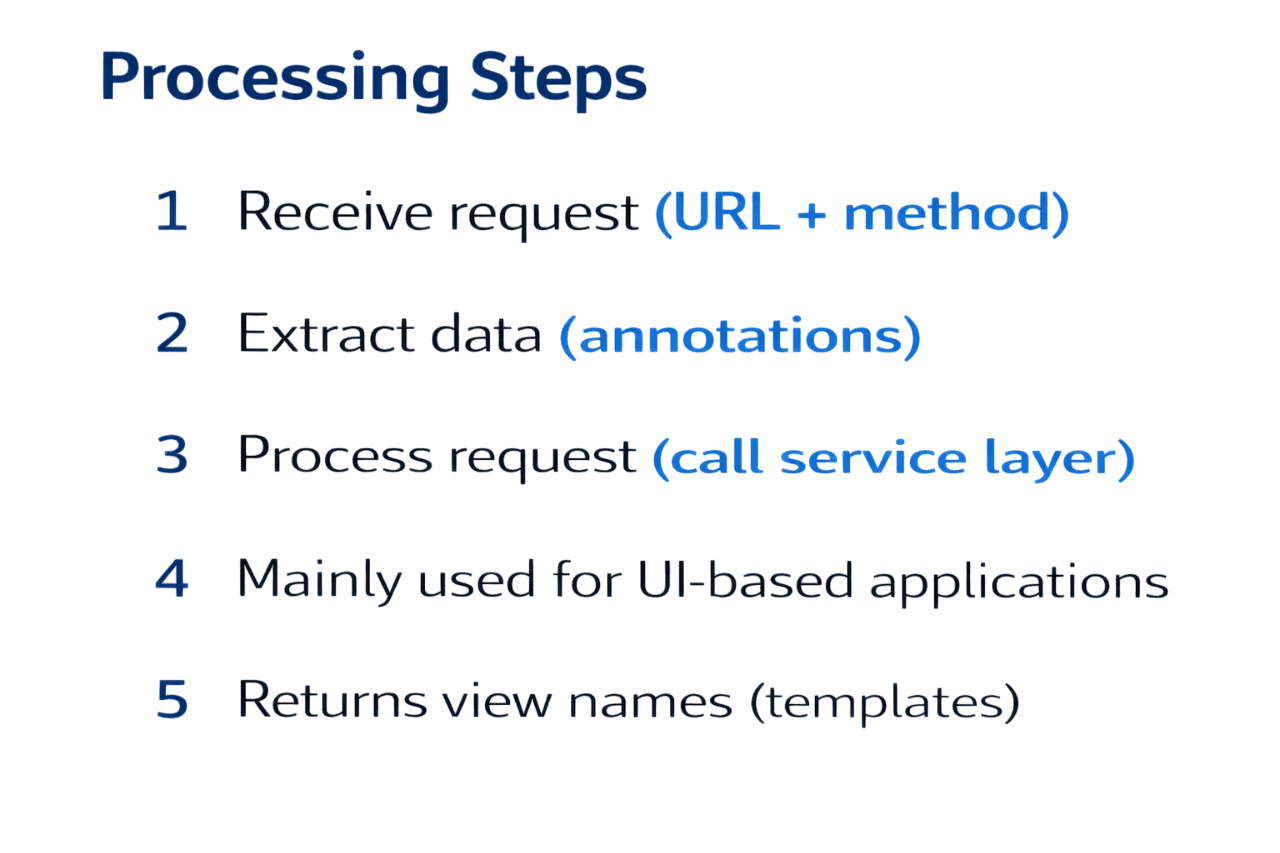
@Controller
@RestController
Returns view pages (HTML/JSP) for web applications
Used in Spring MVC applications
Requires @ResponseBody to return JSON/XML
Mainly used for UI-based applications
Returns view names (templates)
Returns JSON/XML data directly
Used for building RESTful web services
@ResponseBody is applied automatically
Mainly used for backend APIs
Returns data instead of views
HTTP requests are messages sent by a client (like a browser or app) to a server to ask for data or perform an action.
Retrieve data from server without modification
Send new data and create a new resource
Replace entire existing resource completely
Remove a resource from the server
Update only specific fields of existing resource
Request Mapping Annotations in Spring are used to map HTTP requests (URLs) to specific controller methods.
@RequestMapping
Maps any HTTP method (GET, POST, PUT, DELETE)
@GetMapping
Handles GET requests (fetch data)
@PostMapping
Handles POST requests (create data)
@PutMapping
Handles PUT requests (update full data)
@DeleteMapping
Handles DELETE requests (remove data)
@PatchMapping
Handles PATCH requests (partial update)
Request Handling is the process of receiving an HTTP request, processing it, and sending back a response.
@RequestParam
Extract data from URL query string
@PathVariable
Extract values from URL path
@RequestBody
Extract JSON data from request body
Return data directly OR use
ResponseEntity for full control
ResponseEntity.ok("User found")
Setting HTTP status codes
Returning headers if needed
Sending data (JSON, XML, text)
Response Handling is the process of sending a proper response from the server back to the client after processing a request.
HTTP status codes indicate the result of a client’s request to the server.
OK → Success : Request successful, data returned
CREATED → Resource created : New resource successfully created
BAD REQUEST → Invalid input : Request contains invalid data
NOT FOUND → Resource missing : Resource does not exist
INTERNAL ERROR → Server error : Server-side processing failure
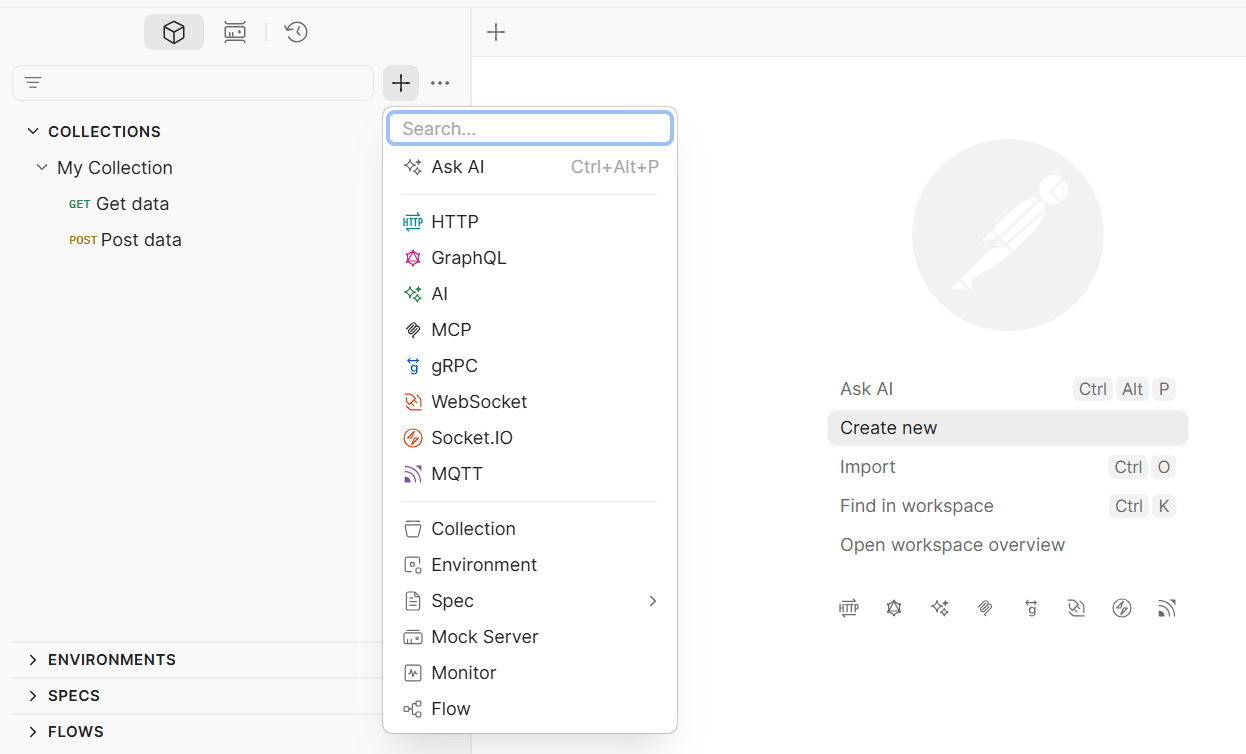
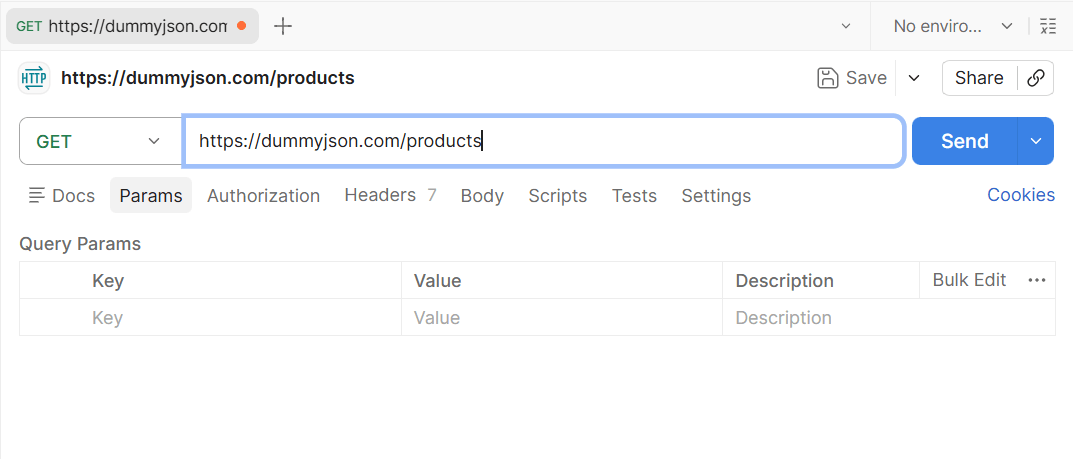
Postman is a powerful API development and testing tool that simplifies the process of building, testing, and managing APIs.
Send different types of requests (GET, POST, PUT, DELETE)
Add request data (Body, Params, Headers)
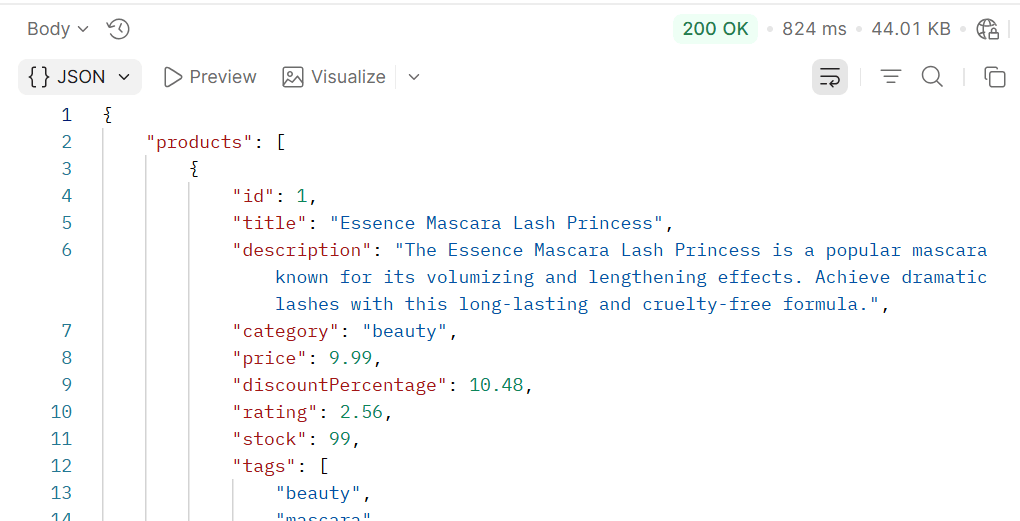
View responses (JSON, status codes, time)
It allows developers to send HTTP requests, analyze responses, automate workflows, and collaborate efficiently.
Save and organize APIs into collections
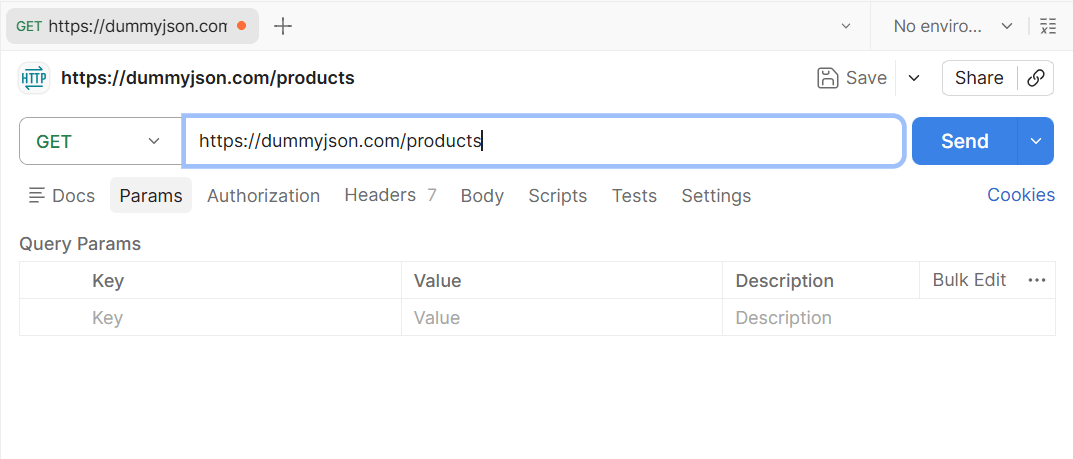
Choose the HTTP method (GET, POST, PUT, DELETE) and enter the API URL.
Click the Send button, and the request is sent to the server.
View Response : Check the response body (JSON), status code (200, 201, etc.), and response time.
We have taken the GET method as an example, but you can follow the same steps to perform other methods as well.
Summary
5
REST APIs follow standard HTTP methods.
4
ResponseEntity manages responses with status codes.
3
Communicates with Service Layer for logic.
2
Uses annotations to map URLs and methods.
1
Controller Layer handles client HTTP requests.
Quiz
Which annotation is used to handle JSON request body in Spring Boot?
A. @RequestParam
B. @PathVariable
C. @RequestBody
D. @ResponseBody
Which annotation is used to handle JSON request body in Spring Boot?
A. @RequestParam
B. @PathVariable
C. @RequestBody
D. @ResponseBody
Quiz-Answer
By Content ITV