

















Content ITV PRO
This is Itvedant Content department
Learning Outcome
4
Learn to integrate tools like TestNG and Selenium through dependencies
3
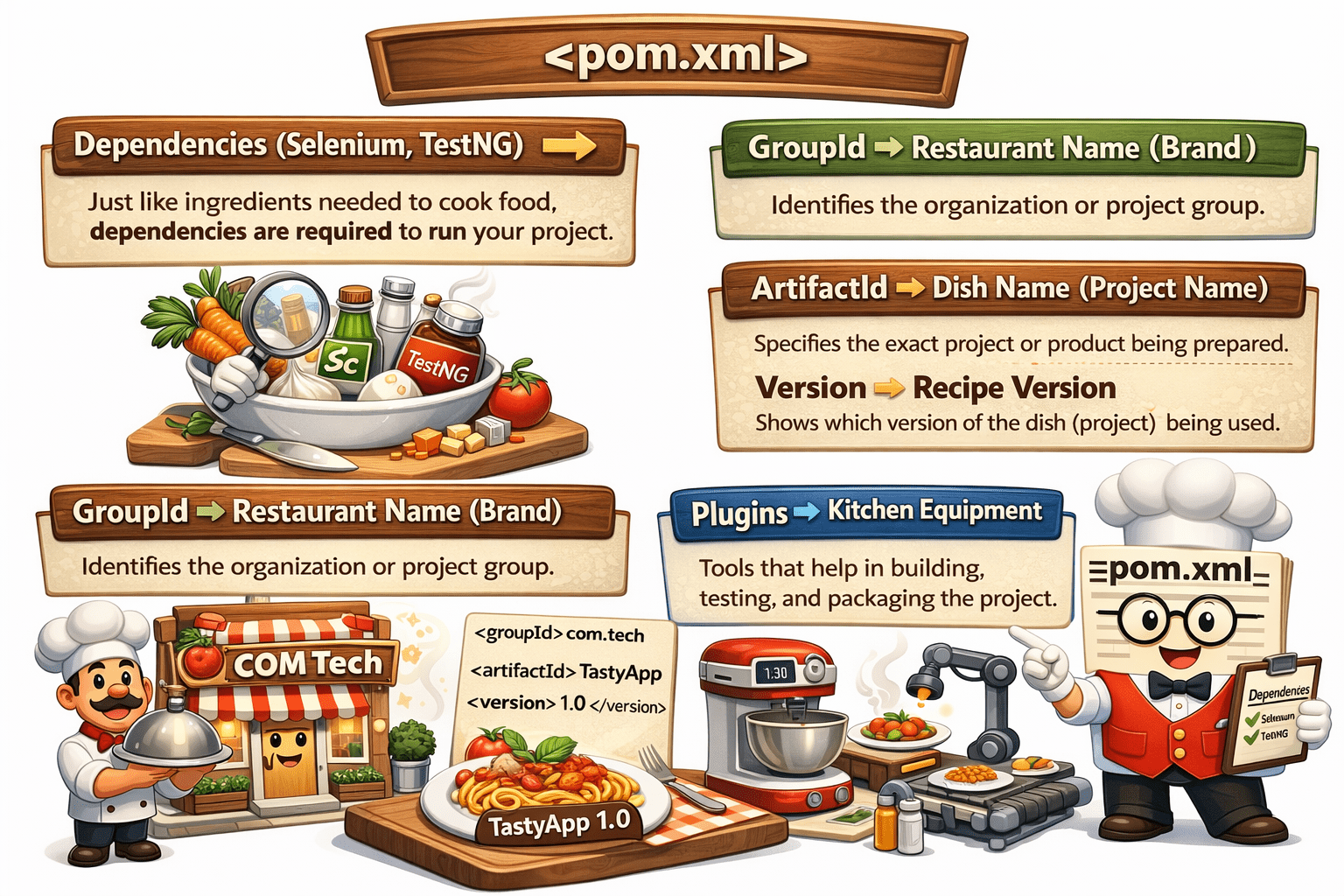
Configure groupId, artifactId, and version (GAV coordinates)
2
Learn how to define and manage project dependencies
1
Understand the role of pom.xml as the heart of a Maven project
5
Improve project maintainability using centralized configuration management
We know:
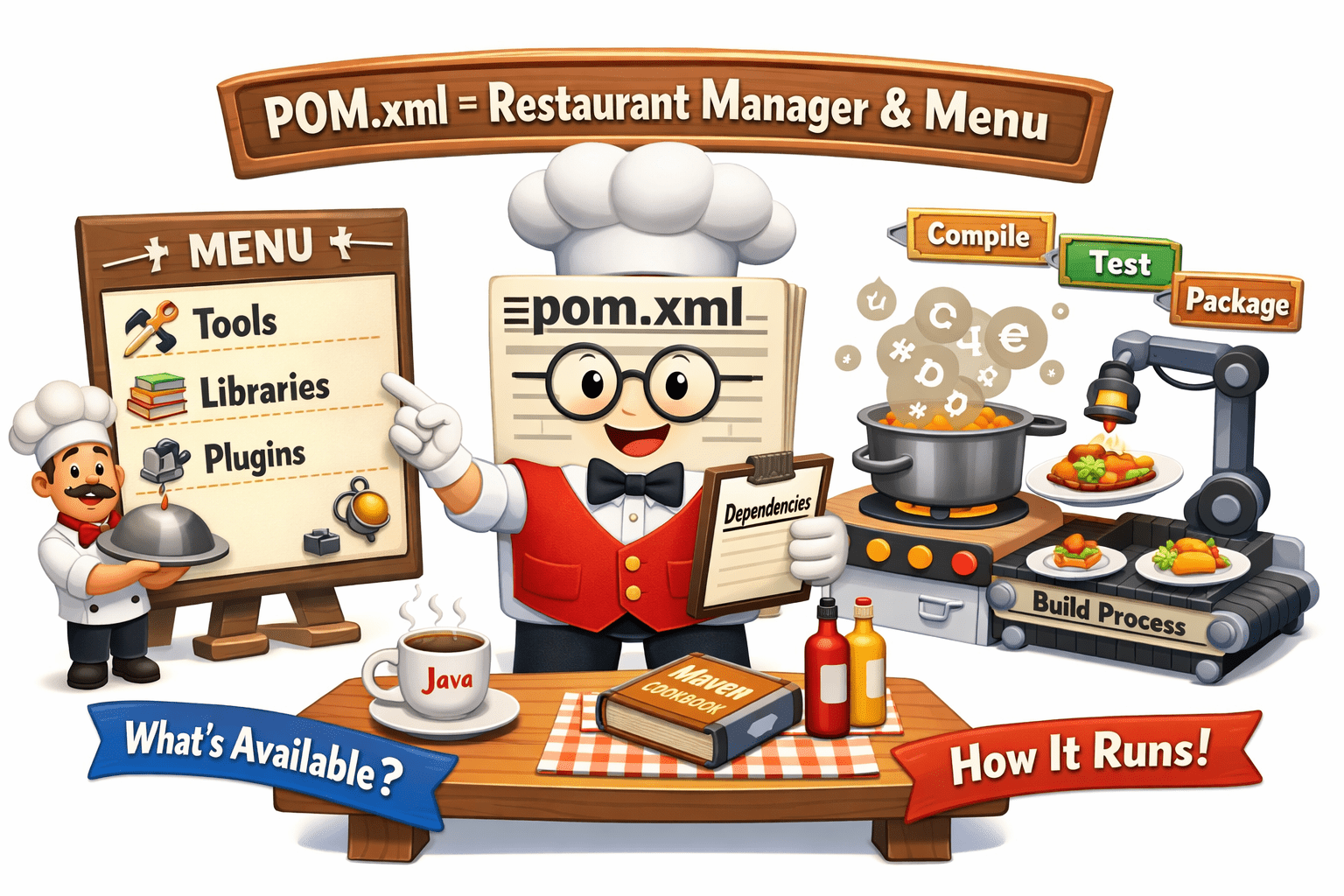
Think of pom.xml as a restaurant menu + manager system
It decides what items (tools/libraries) are available and how the restaurant runs.
pom.xml is like a smart restaurant manager that decides:
what ingredients are needed
how the dish (project) is prepared
and ensures everything runs smoothly without confusion
Why pom.xml Used
pom.xml helps Maven run and manage the project smoothly.
To store all project configuration in one place
To manage dependencies (libraries like Selenium, TestNG)
To define project details (name, version, etc.)
To control build process (compile, test, package)
To make the project easy to manage and maintain
To add plugins for build and testing
What is pom.xml?
POM (Project Object Model) is the core configuration file of a Maven project.
It tells Maven:
What the project is
What it needs (dependencies)
How to build it
How to run tests
Central control unit
Configuration file
Instruction manual for Maven
It acts as:
Structure of pom.xml
<project>
   <modelVersion>4.0.0</modelVersion>
   <groupId>com.example</groupId>
   <artifactId>demo-project</artifactId>
   <version>1.0.0</version>

   <dependencies>
   </dependencies>

   <build>
   </build>
</project>
Root element of Maven project
<project>
Maven version (always 4.0.0)
<modelVersion>
Maven version (always 4.0.0)
<modelVersion>
Maven version (always 4.0.0)
<modelVersion>
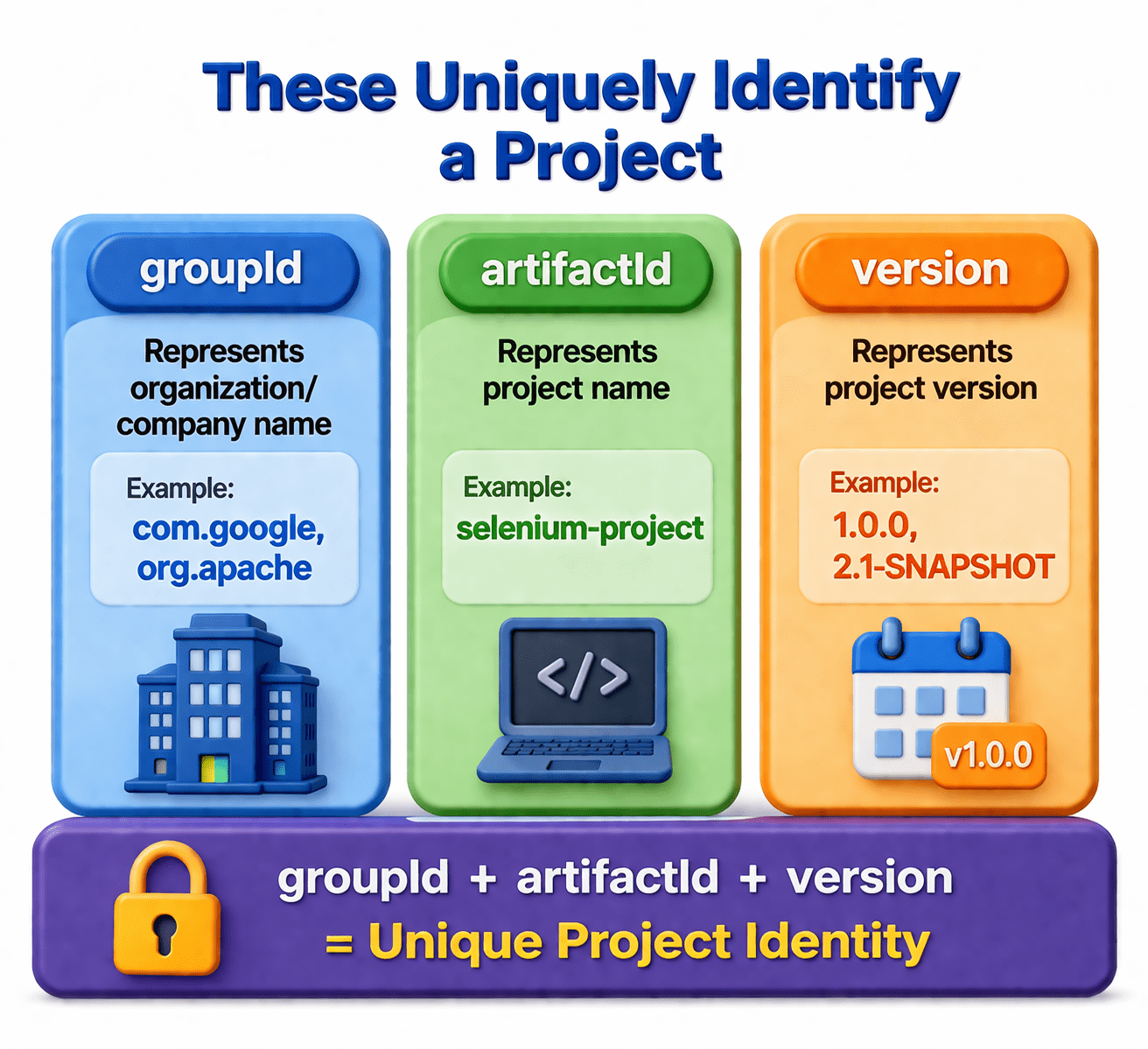
Organization or company name
<groupId>
Project name
<artifactId>
Project version
<version>
Used to add required libraries
<dependencies>
Used to configure build and plugins
<build>
pom.xml defines project details, dependencies, and build configuration.
What is pom.xml?
GAV Coordinates
What is pom.xml?
Dependency Management
<dependencies>
  <dependency>
     <groupId>org.testng</groupId>
     <artifactId>testng</artifactId>
     <version>7.8.0</version>
  </dependency>
</dependencies>
Dependencies are external libraries required by your project.
How it works:
You add dependency in pom.xml
Maven downloads it automatically
Stored in local repo (.m2)
Added to project build path
No manual JAR files
Version control
Easy updates
Advantages:
What is pom.xml?
Plugin Configuration
<build>
 <plugins>
   <plugin>
     <artifactId>maven-compiler-plugin</artifactId>
     <version>3.8.1</version>
   </plugin>
 </plugins>
</build>
Plugins are used to perform tasks like compile, test, package.
Compiler plugin → compiles code
Surefire plugin → runs TestNG tests
Jar plugin → creates JAR file
Common Plugins:
What is pom.xml?
Plugin Configuration
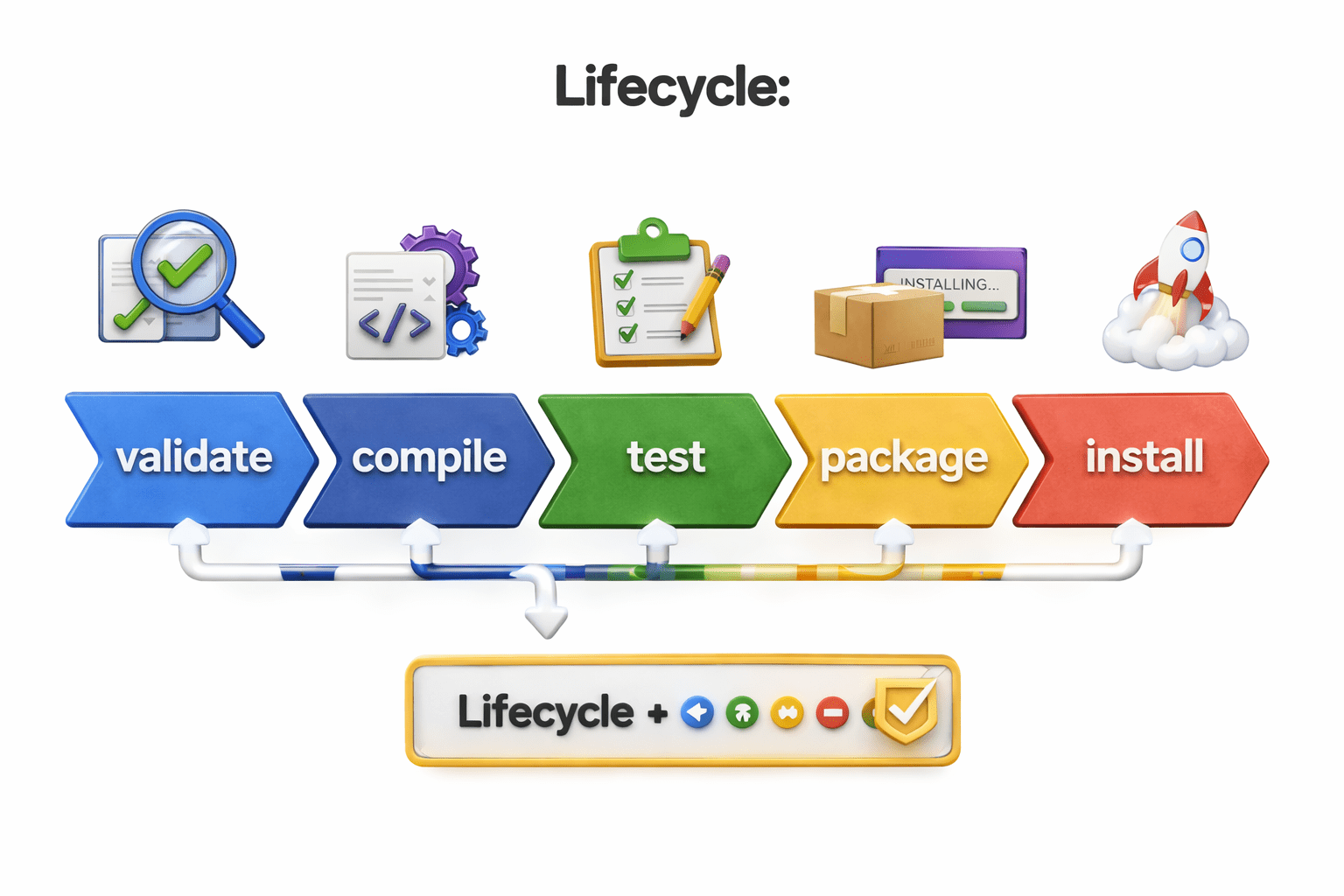
pom.xml controls how Maven executes lifecycle phases:
Defines plugins for each phase
Configures test execution
Controls packaging type
How pom.xml controls it:
Jar plugin → used in package phase
Surefire plugin → used in test phase
Improves scalability and maintainability
Central control of project
Easy integration with tool
Automatic dependency management
Supports CI/CD pipelines
Advantages of pom.xml
Summary
4
Improves project organization and maintainability
3
Helps integrate tools like TestNG and Selenium
2
Manages dependencies (Selenium, TestNG, etc.)
1
pom.xml is the core file of a Maven project
Quiz
What is the role of pom.xml in Maven?
A.To write Java code
B.To manage project configuration and dependencies
C.To execute SQL queries
D.To design UI
What is the role of pom.xml in Maven?
A.To write Java code
B.To manage project configuration and dependencies
C.To execute SQL queries
D.To design UI
Quiz-Answer
By Content ITV